
A real estate enquiry is more than a phone number. The team needs the client's requirements, suitable properties, the next follow-up and the outcome of each viewing. When that context stays in a salesperson's chat history, another employee cannot reliably continue the conversation.
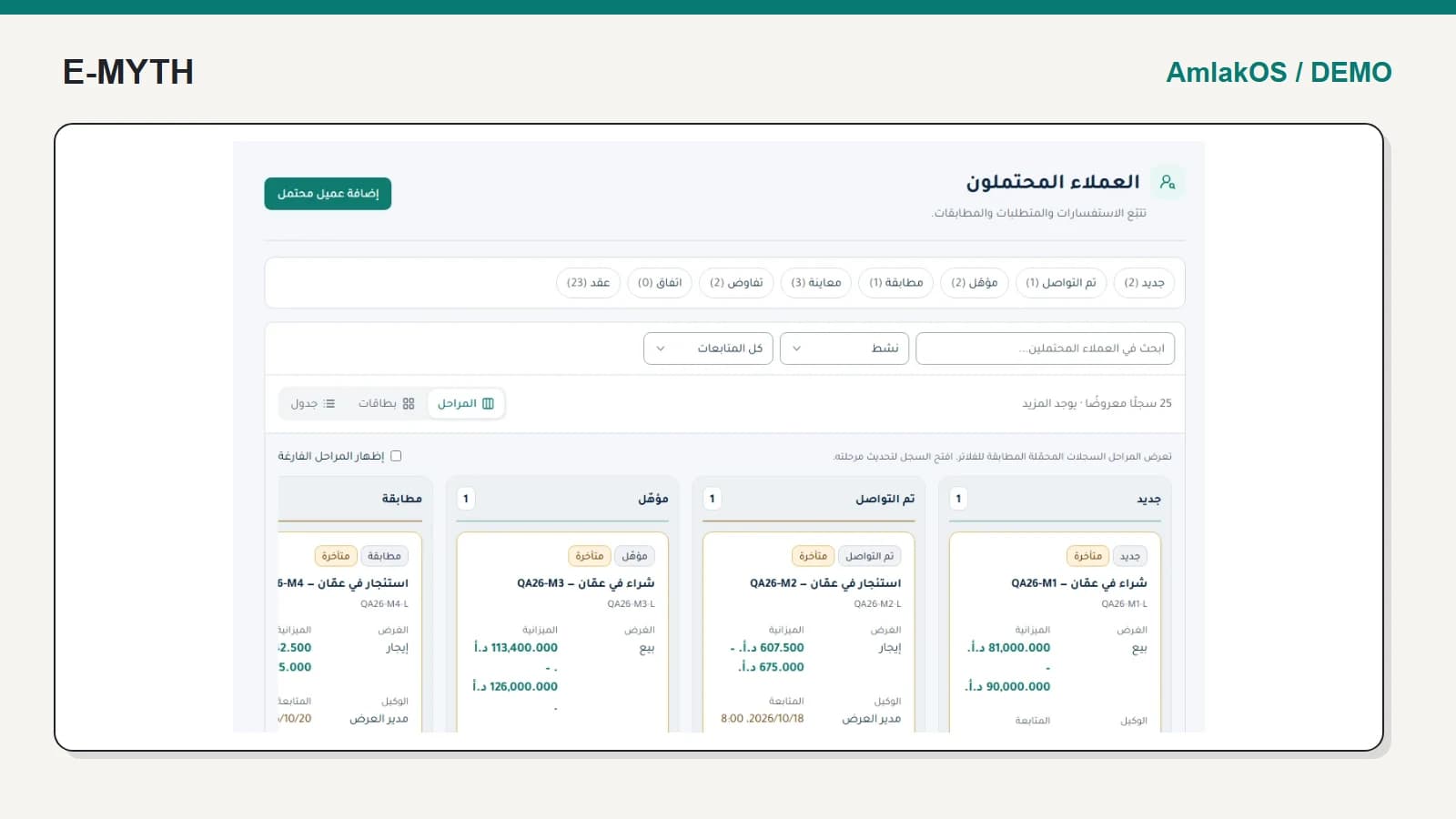
This walkthrough examines the lead workspace and an active contract in the AmlakOS demo. The records are synthetic. The two screens show connected capabilities, not proof that the displayed lead board was converted into this contract during the capture.
Capture requirements before sending listings
Record whether the client wants to buy or rent, their property requirements and the person responsible for follow-up. Contact identity, lead requirements and property inventory serve different purposes. Keeping them distinct helps when one person makes more than one enquiry.
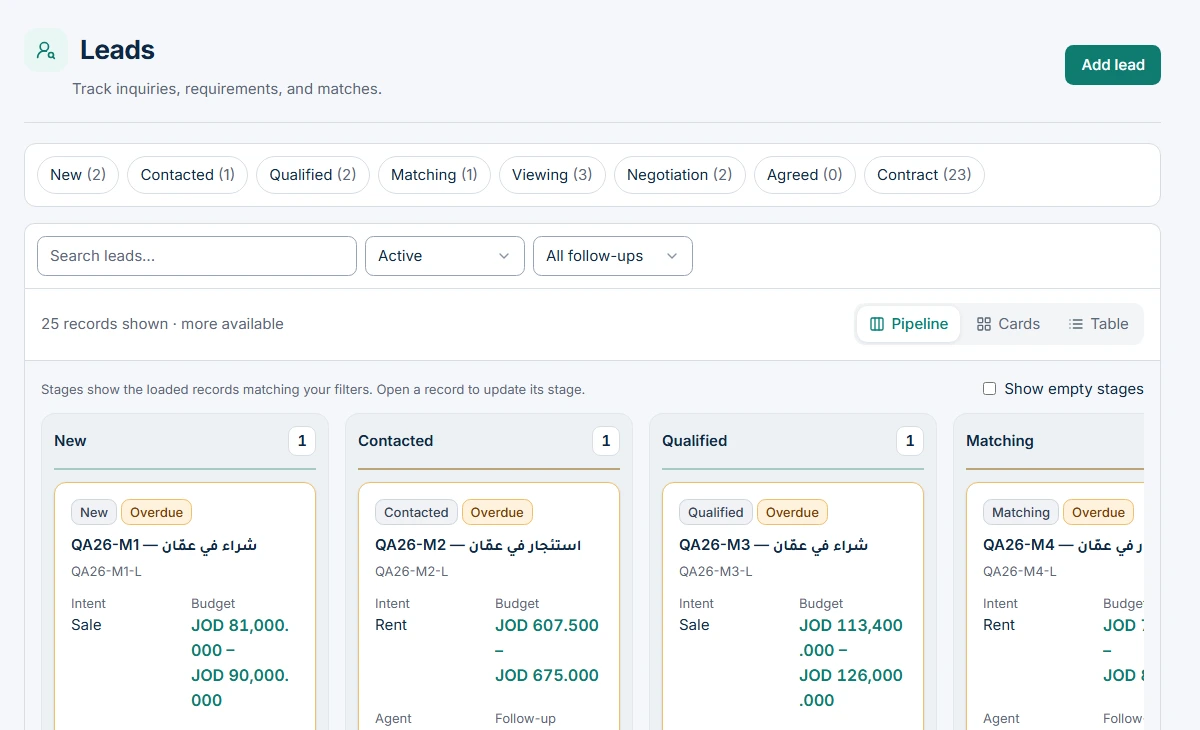 View the full-size screen ↗
For an acceptance exercise, take one enquiry and ask a second employee to explain the requirement and next action without consulting the original salesperson. If they cannot, decide which missing information belongs in the record and which team role owns it.
Treat a viewing as a scheduled activity with an outcome
Proposing a property is not the same as arranging a visit. Record the property, client, responsible person and time, then record attendance and feedback. A cancelled or missed viewing should remain distinguishable from a completed one.
The system includes a viewing workspace. Calendar integration is a separate dependency; in this installation Google Calendar is unconfigured, while appointment calendar-file download is available. See the integration guide for the distinction between internal scheduling and external synchronisation.
Preserve the negotiated agreement when creating the contract
A deal represents commercial negotiation and agreement. The contract then needs its parties, property, term, payment frequency and signature status. Re-entering those facts from memory risks replacing the agreed terms with a new version nobody approved.
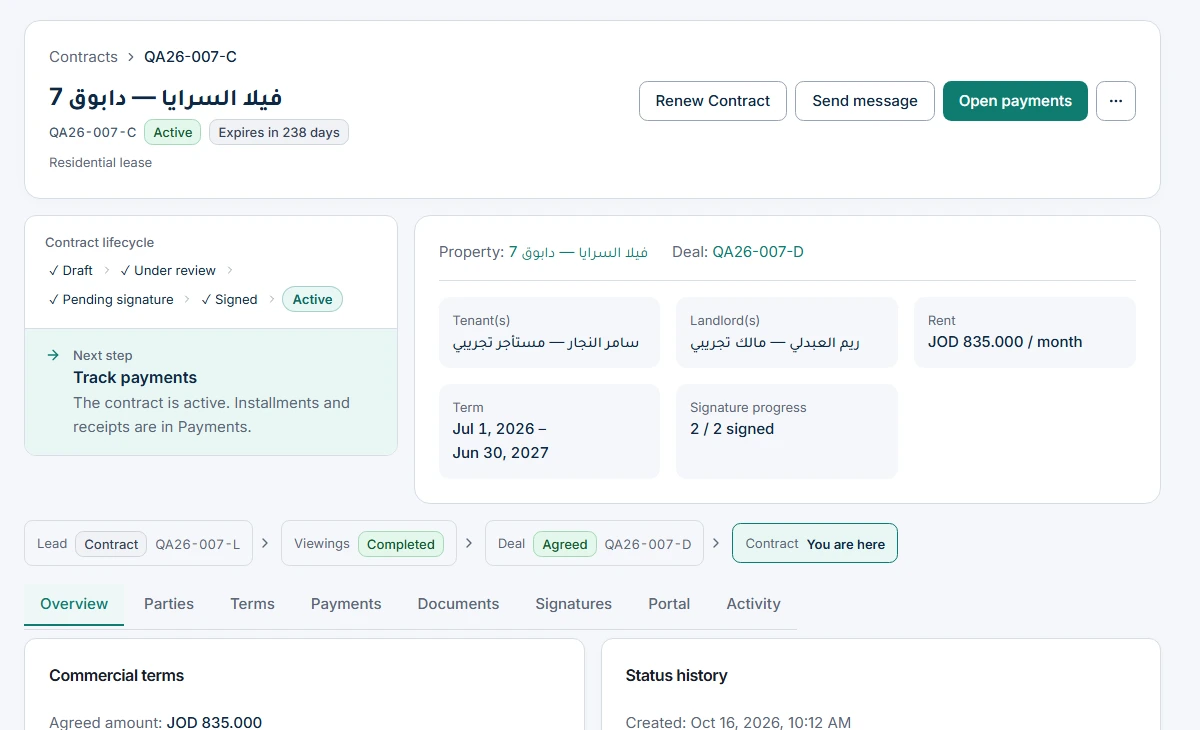 View the full-size screen ↗
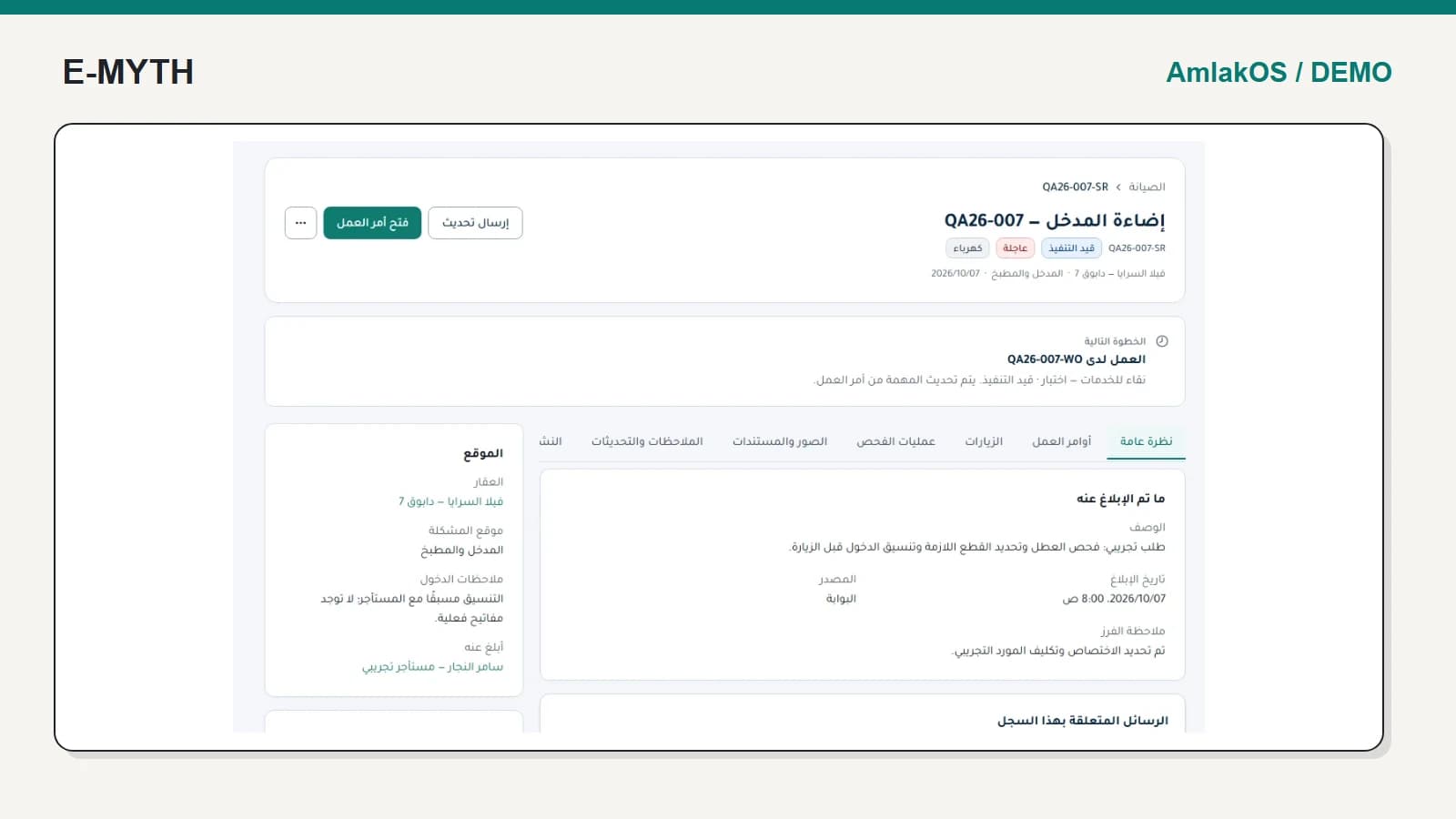
The same screen identifies a next step: track payments. That is useful because contract activation changes the team's work. The employee should be able to move into obligations and receipts rather than search for a separate finance file.
Separate expected amounts from paid amounts
An expected security deposit is not proof of a received deposit. An agreed rent is not proof of a collected installment. Ask the team to identify the event that turns a scheduled obligation into a payment record, then test a partial payment in the rent collection workflow.
Likewise, a recorded signature stage does not by itself establish an external electronic-signature provider or a particular legal enforceability claim. Define required documents and signing procedures for your jurisdiction and implementation.
Keep publication and internal inventory distinct
Staff may manage a property before deciding to publish a listing. Agree which fields and images become public, how withdrawals are handled and who can publish. A partner feed containing a listing does not prove a partner has displayed it. Property imports and public listings belong in the same requirements discussion as CRM hand-offs.
What should you demonstrate before choosing a CRM?
- A client with clear requirements and an assigned follow-up owner.
- A viewing that is rescheduled or missed, with its history preserved.
- A deal whose agreed facts can be inspected in the resulting contract.
- A contract with separate scheduled obligations and receipts.
- Documents shared with the correct external party through the portal.
Use a stalled enquiry as well as a successful one. The stalled example reveals whether the team can identify the obstacle and responsible person, which is often the real reason for adopting a CRM.
Continue with the workflow you need
- Property management software: what should it connect?
- Rent collection software: dues, receipts and allocation
- Property maintenance: from request to visit outcome
- Owner and tenant portals: access without exposing everything
- Property automation: reminders, delivery status and integrations
How this walkthrough was prepared
We reviewed the AmlakOS implementation and opened its local demo on November 4, 2026. Screens show actual interfaces with synthetic fixtures, cropped to the relevant area without changing their content. Interface states alone do not establish customer outcomes or successful external delivery.
More perspectives