
A property management system should let a team move from a specific property to its customer enquiry, agreement, payment obligations and maintenance history. If each department recreates the property and customer in another file, the software has not resolved the hand-off.
This guide is for property managers and real estate teams assessing an operational system. We show actual AmlakOS screens from E-MYTH's local demo. Names, properties and amounts are synthetic. Commercial, contractual and provider requirements still need to be agreed for each deployment.
Begin with the work that needs attention
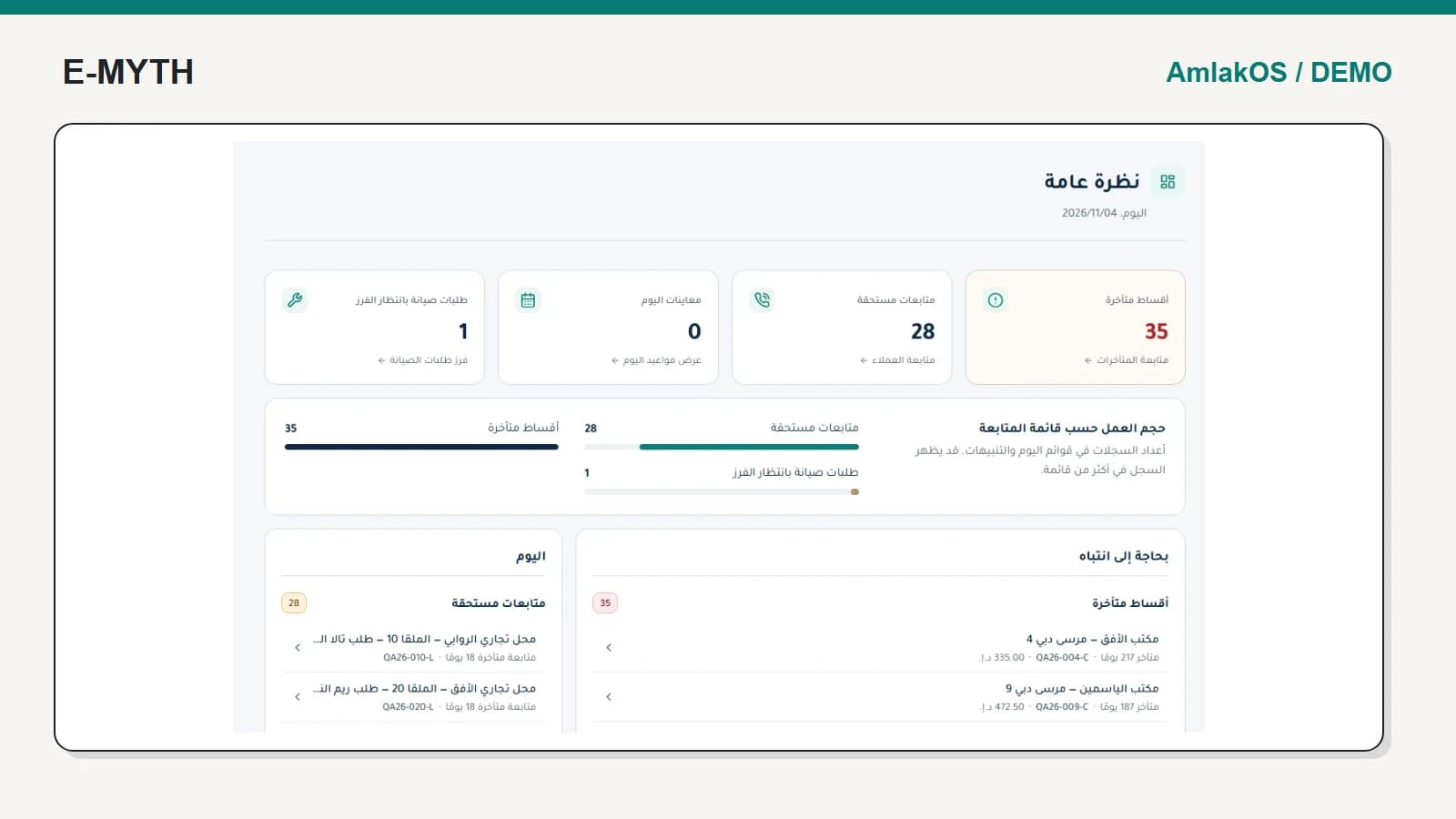
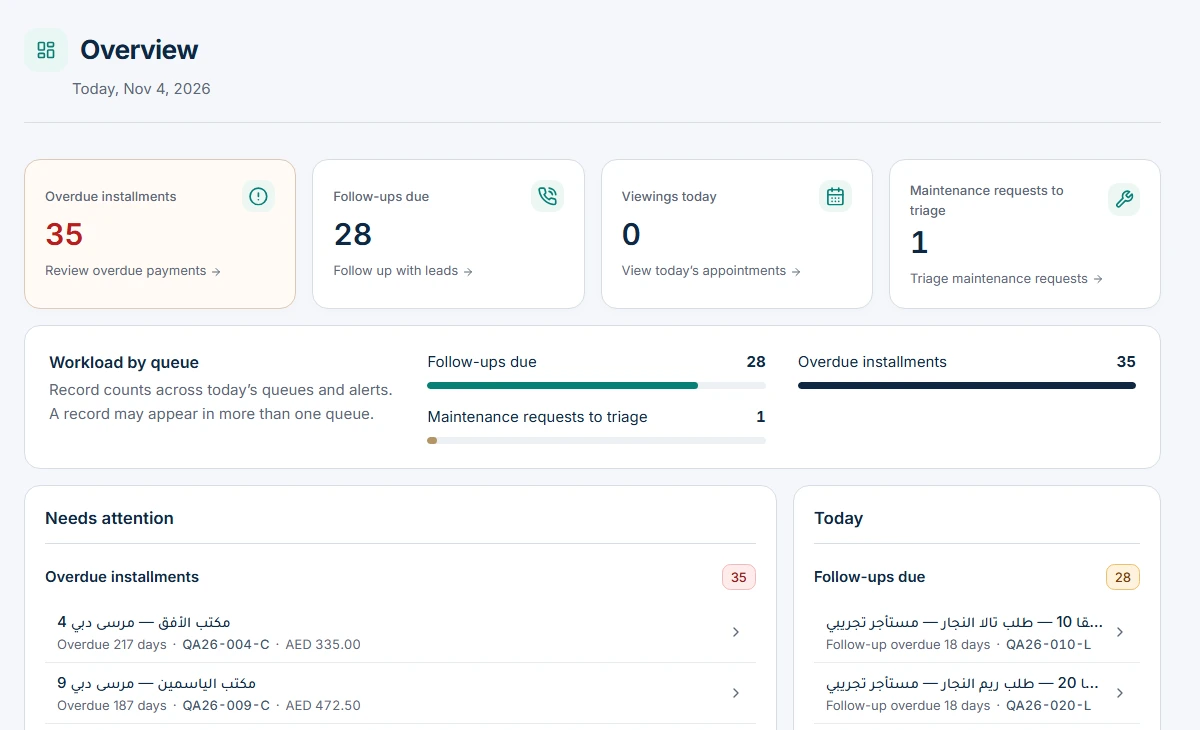
An overview should help staff choose their next action. Overdue installments, outstanding follow-ups and maintenance work are more useful when they lead to the underlying records. A chart with no explanation of its population or period is harder to act on.
 View the full-size screen ↗
Ask your team to choose one overdue item and identify who will handle it. Then return to the overview and choose a maintenance exception. This tests whether different departments share a coherent workspace instead of isolated dashboards.
Establish a property record before publishing or selling it
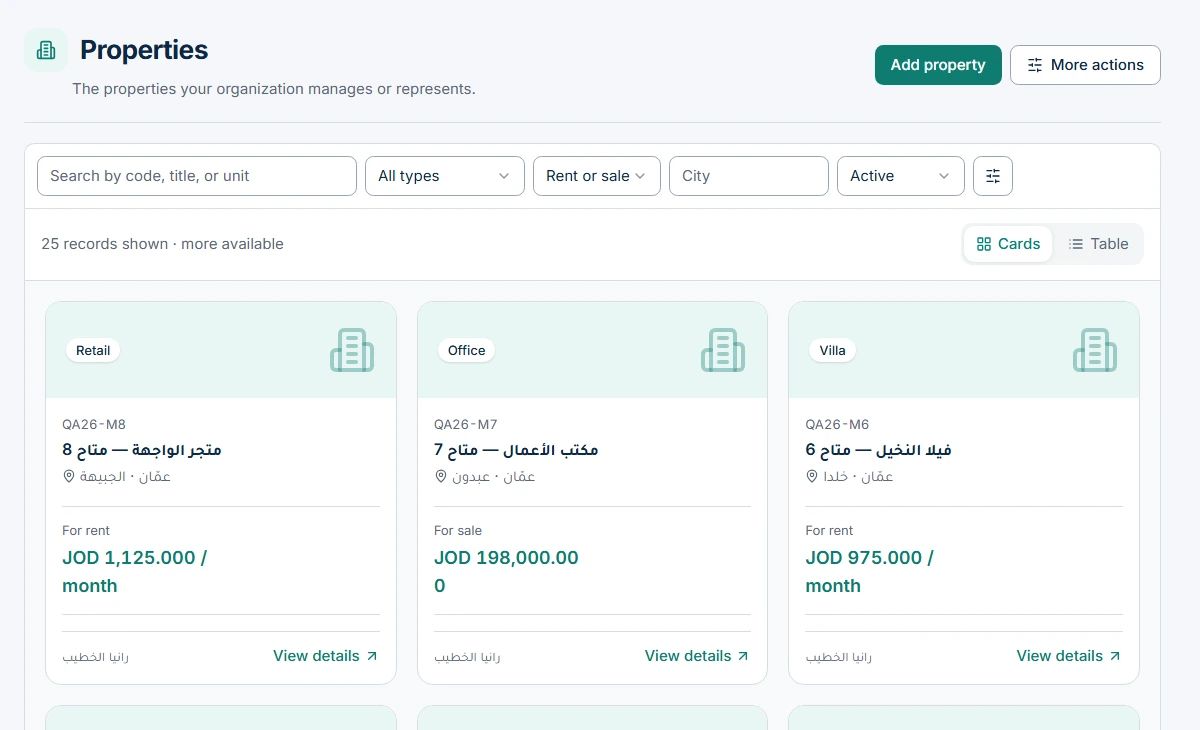
The property record should identify the unit, location, type, status and responsible parties. Listings are a publication decision about that record; they are not a replacement for the operational inventory. Confirm how photos, documents, owners and availability are managed.
 View the full-size screen ↗
If you already use spreadsheets, agree import mapping, duplicate handling and a preview before saving. Treat a sample import as an acceptance task. A large file successfully uploaded is not proof that its contacts, units and currencies were mapped correctly.
Trace the entire commercial journey
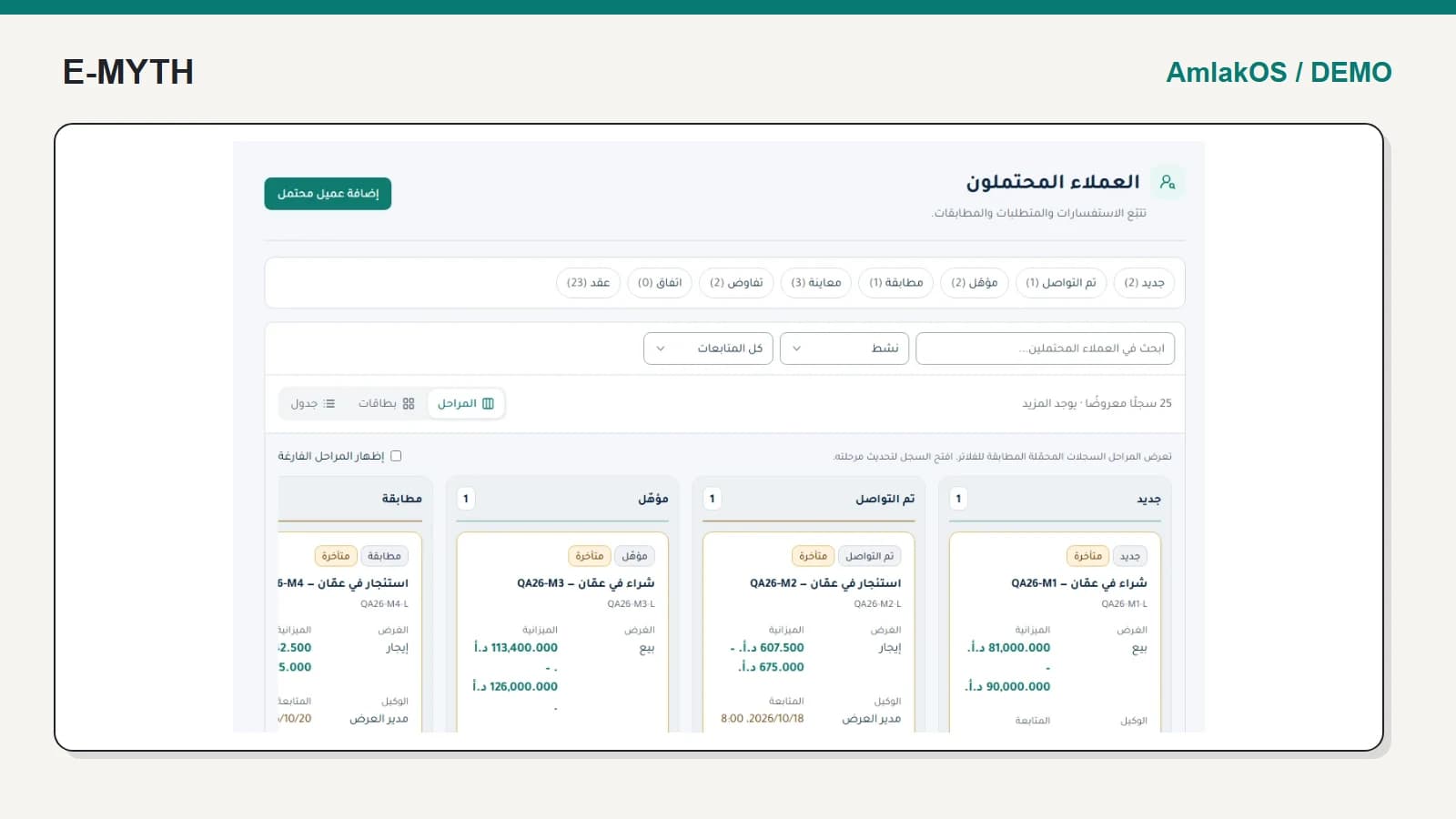
The property CRM and contracts walkthrough follows enquiries, viewings, deals and contracts. The contract should preserve the agreed parties and property, rather than become an unrelated PDF with no operational connection.
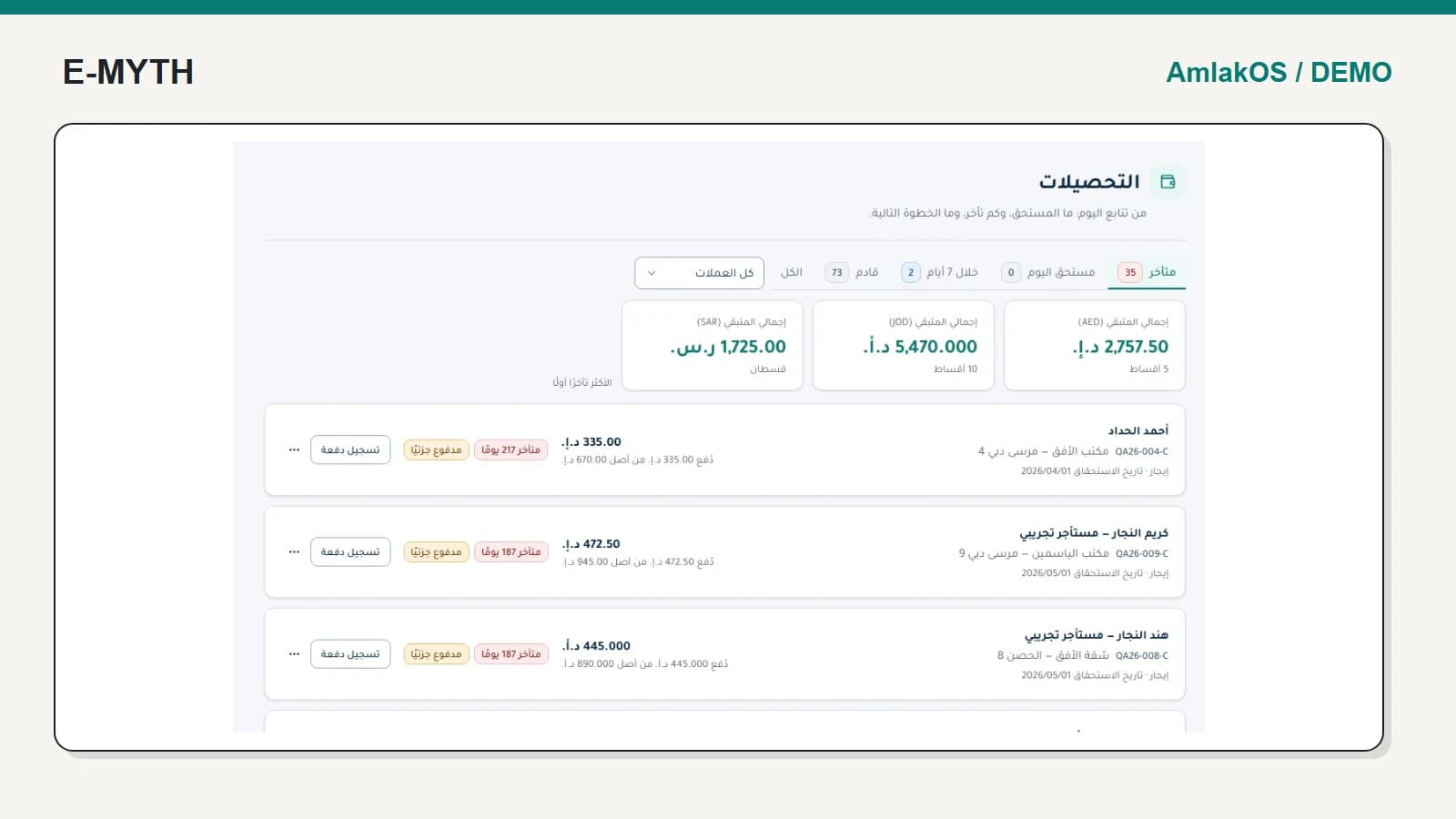
Next, inspect rent collection and payment allocation. A scheduled installment and a received payment are different records. Ask what is due today, what remains overdue and what receipt explains a reduced balance.
Give service work and external users their own paths
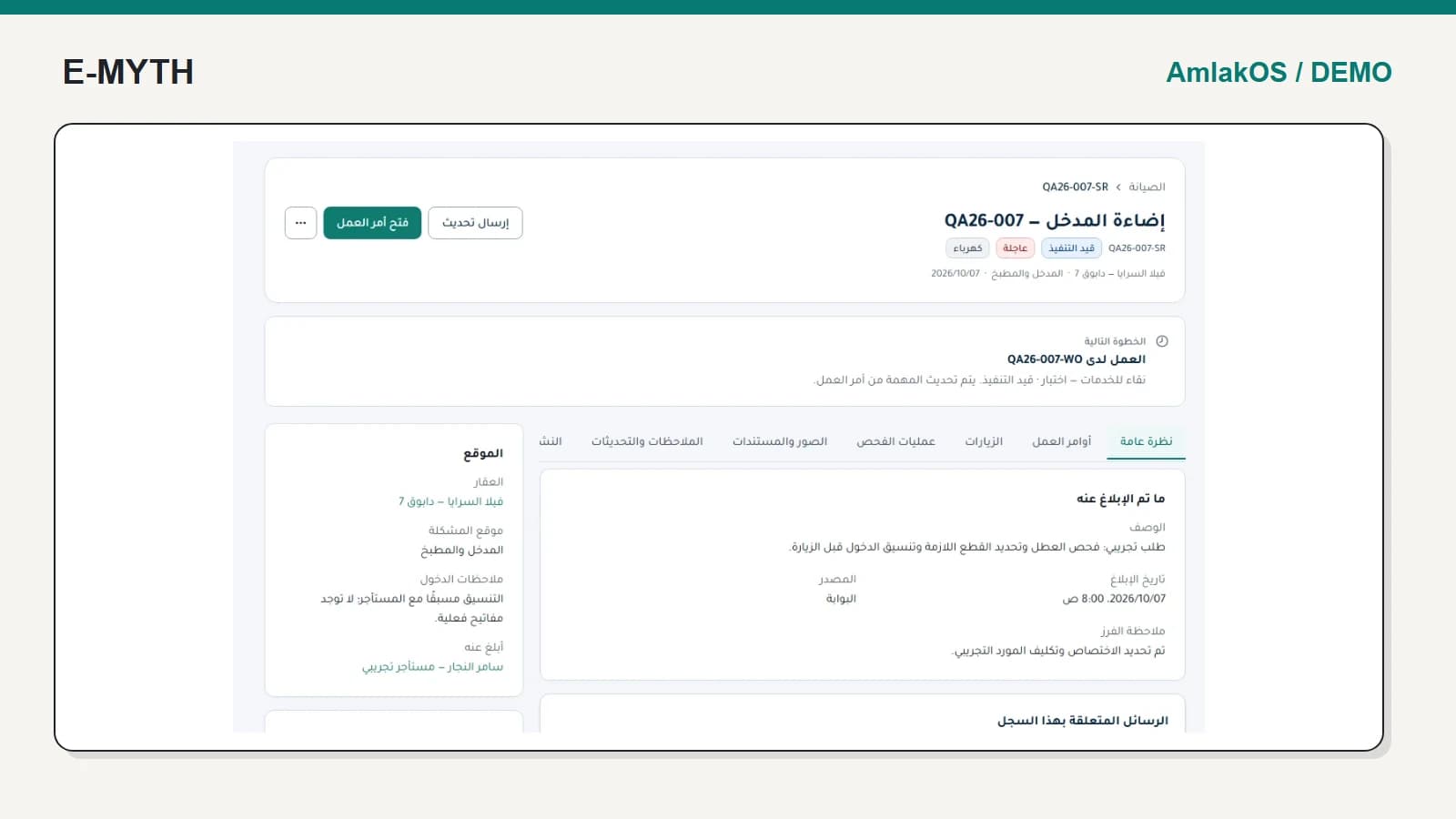
The maintenance walkthrough separates a reported problem, work order and visit outcome. That separation is essential when a technician attended but the issue still needs follow-up.
Owner and tenant portals should answer different questions with different access. The owner may need a statement; the tenant needs their obligations, shared documents and relevant service requests. Neither should receive broad staff permissions just to read a record.
Use reports with explicit scope
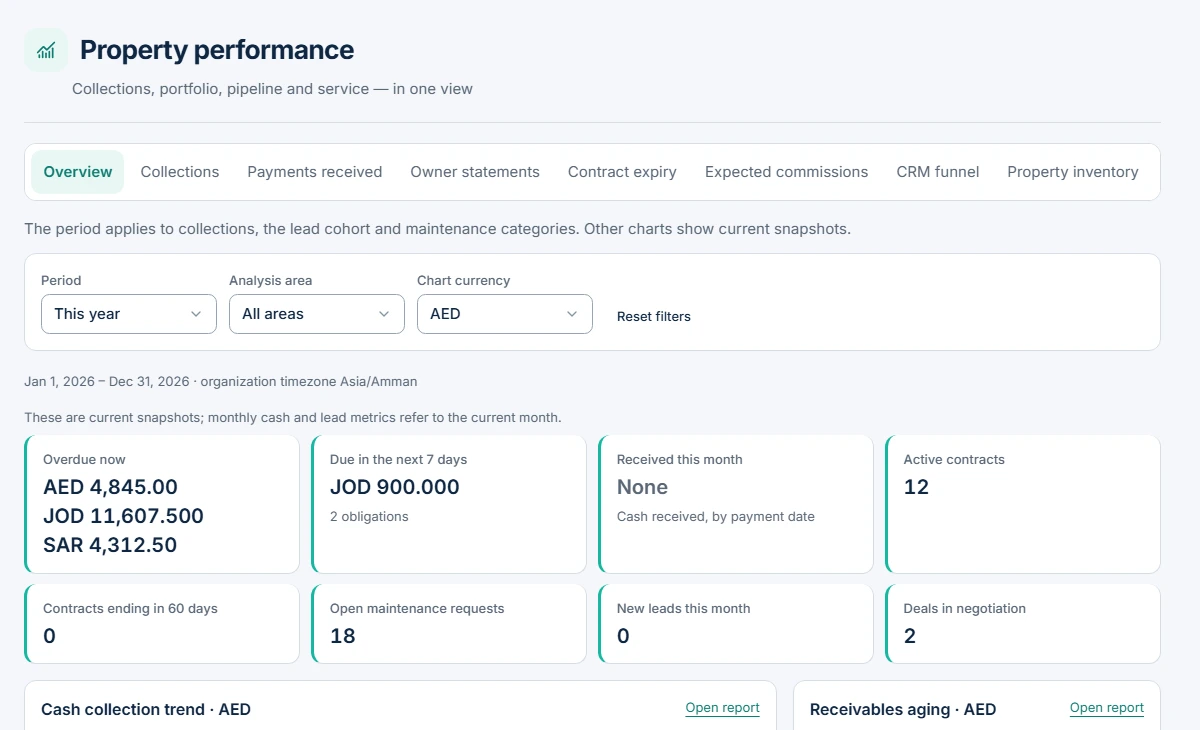
In the screen below, start with the period and chart currency selectors before reading the cards. The explanatory text identifies current snapshots, so changing a date filter should not be assumed to redefine every number on the page.
 View the full-size screen ↗
Include collections, payments received, contract expiry, expected commissions, CRM conversion and maintenance in the reporting review. Check one figure against its source records. Do not combine currencies into an unexplained total or describe expected commission as collected cash.
Set boundaries before connecting outside services
Automated reminders and integrations need delivery status, failure handling and account-specific acceptance. Live PayTabs, Google Calendar, WhatsApp and SMS were not verified in this local review. Available interface controls are not a promise of an activated provider.
Agree permissions, data migration, document visibility, backups and operational ownership before launch. Specialized ended-contract settlement decisions also have activation conditions; do not assume every development capability is enabled in production.
How to evaluate a proposal
Use one property, one enquiry, one active contract, one partial payment and one maintenance issue as your demonstration pack. Add a second user to test access boundaries. A good proposal describes those journeys, their exceptions and acceptance evidence, not only a list of modules or an unsupported promise of full automation.
Continue with the workflow you need
- Real estate CRM: from enquiry and viewing to contract
- Rent collection software: dues, receipts and allocation
- Property maintenance: from request to visit outcome
- Owner and tenant portals: access without exposing everything
- Property automation: reminders, delivery status and integrations
How this walkthrough was prepared
We reviewed the AmlakOS implementation and opened its local demo on November 4, 2026. Screens show actual interfaces with synthetic fixtures, cropped to the relevant area without changing their content. Interface states alone do not establish customer outcomes or successful external delivery.
More perspectives