
A useful wholesale inventory system should answer four connected questions: what can we promise the customer, what actually left the warehouse, what remains due from the supplier, and what has been collected? A product list and an attractive dashboard cannot answer these on their own.
This guide is for distributors and wholesalers moving beyond spreadsheets or disconnected tools. We use a local WholesaleOS demonstration built by E-MYTH. All records and amounts are synthetic; the screens illustrate decisions, not customer results.
Start with stock your sales team can actually sell
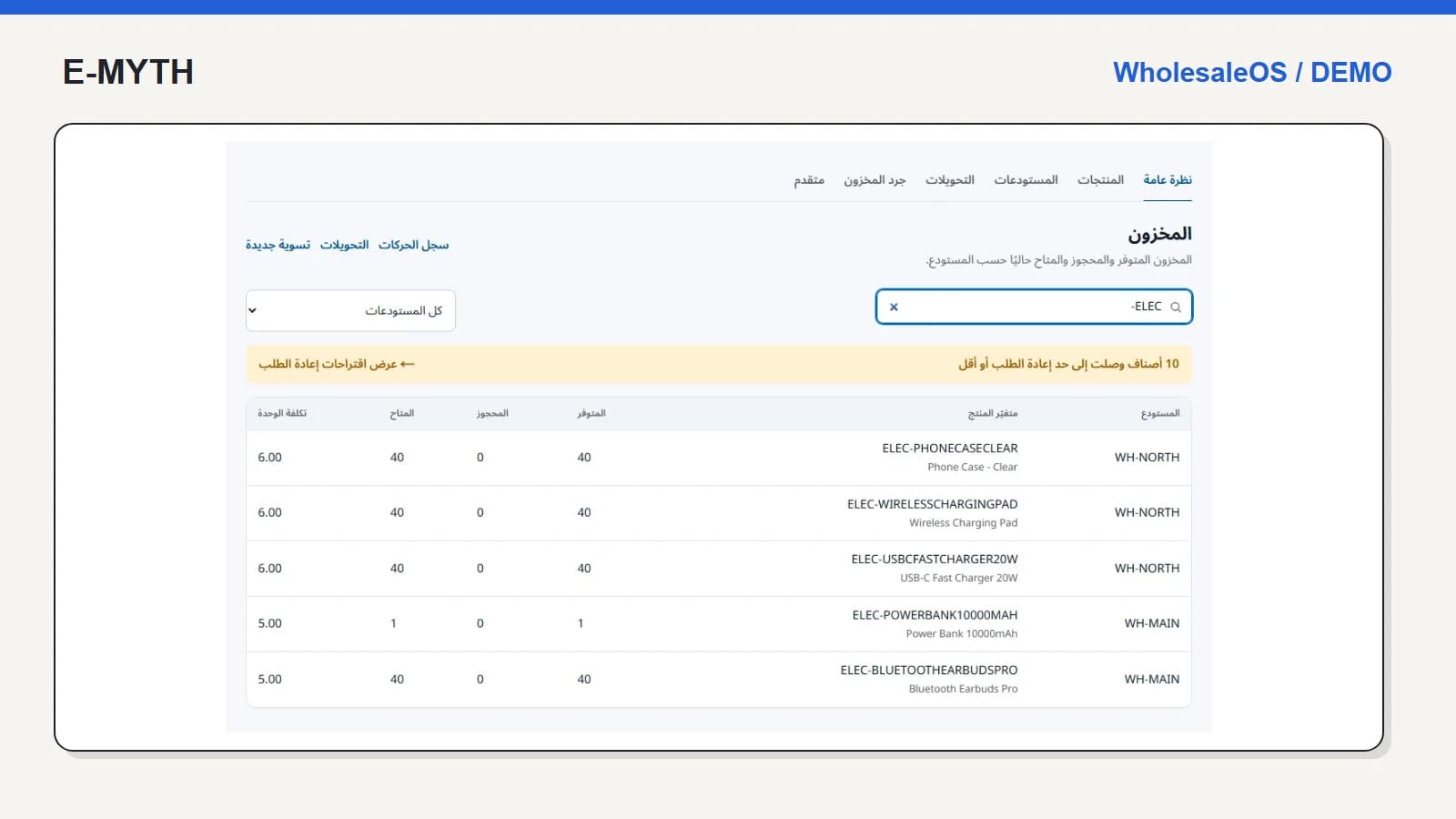
Open a warehouse and search for a product family. The stock screen separates on-hand, reserved and available quantities. Those columns matter because stock promised to an existing order should not become a second promise to another customer. Product variants, units and warehouse identity must survive the move from catalogue to order.
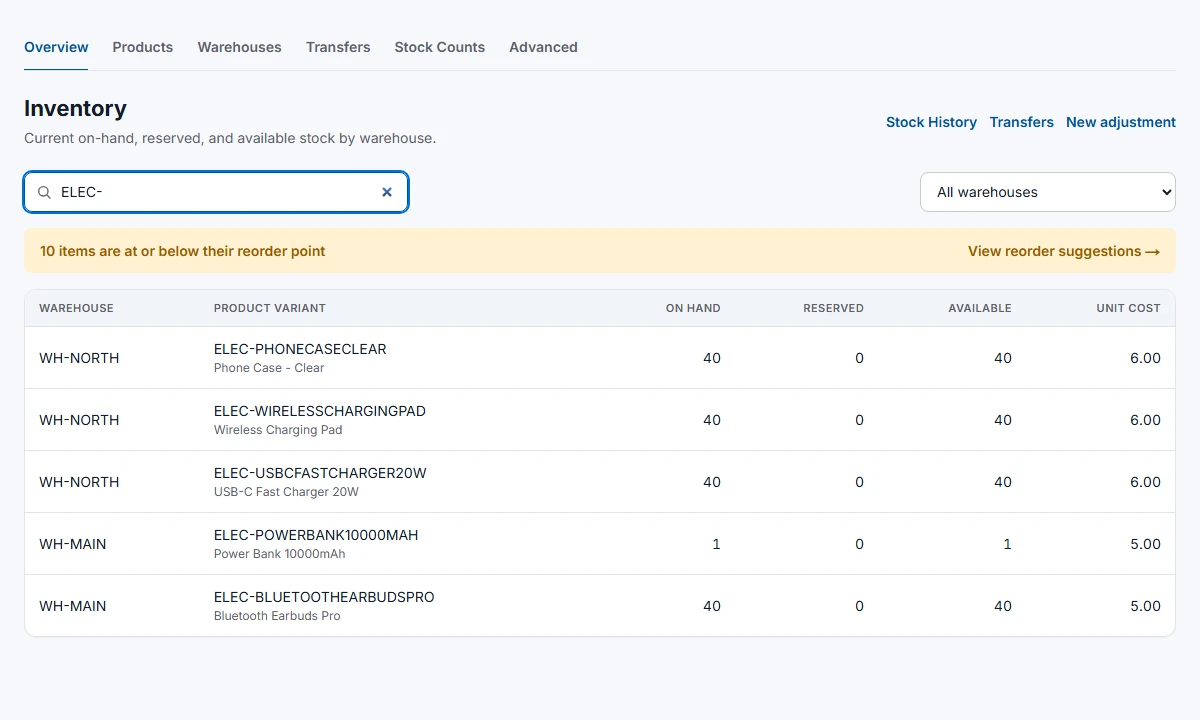 View the full-size screen ↗
Use one familiar product in your evaluation. If your team sells cartons and pieces, ask how units are represented. If products have serial numbers, batches or expiry dates, verify that their tracking survives receiving, transfer and return. Our inventory control walkthrough covers these operational checks.
Follow the hand-offs, not the menu count
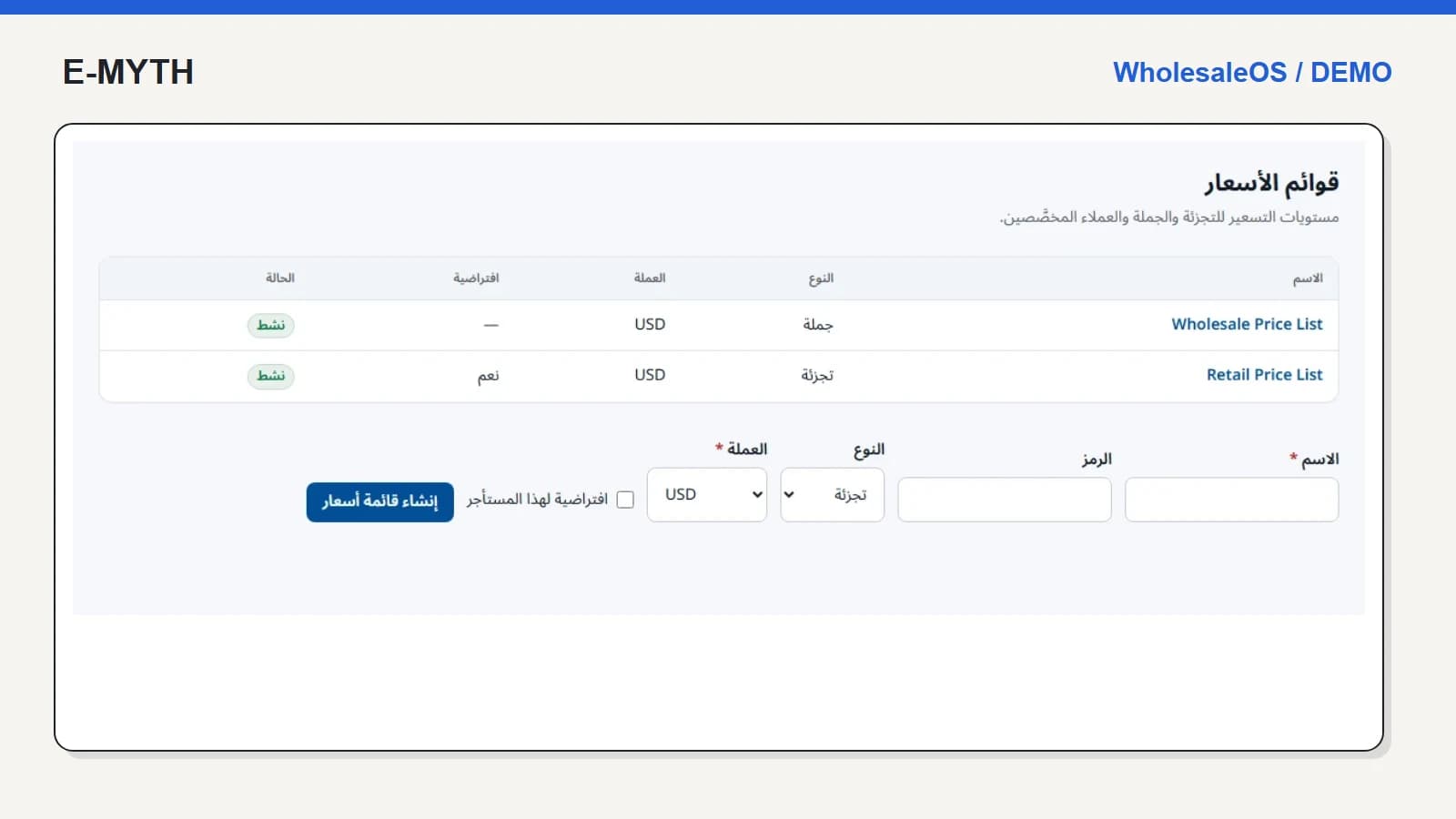
- Sales selects the customer and applicable pricing, then confirms an order.
- Warehouse staff sees what must be delivered and records the physical delivery.
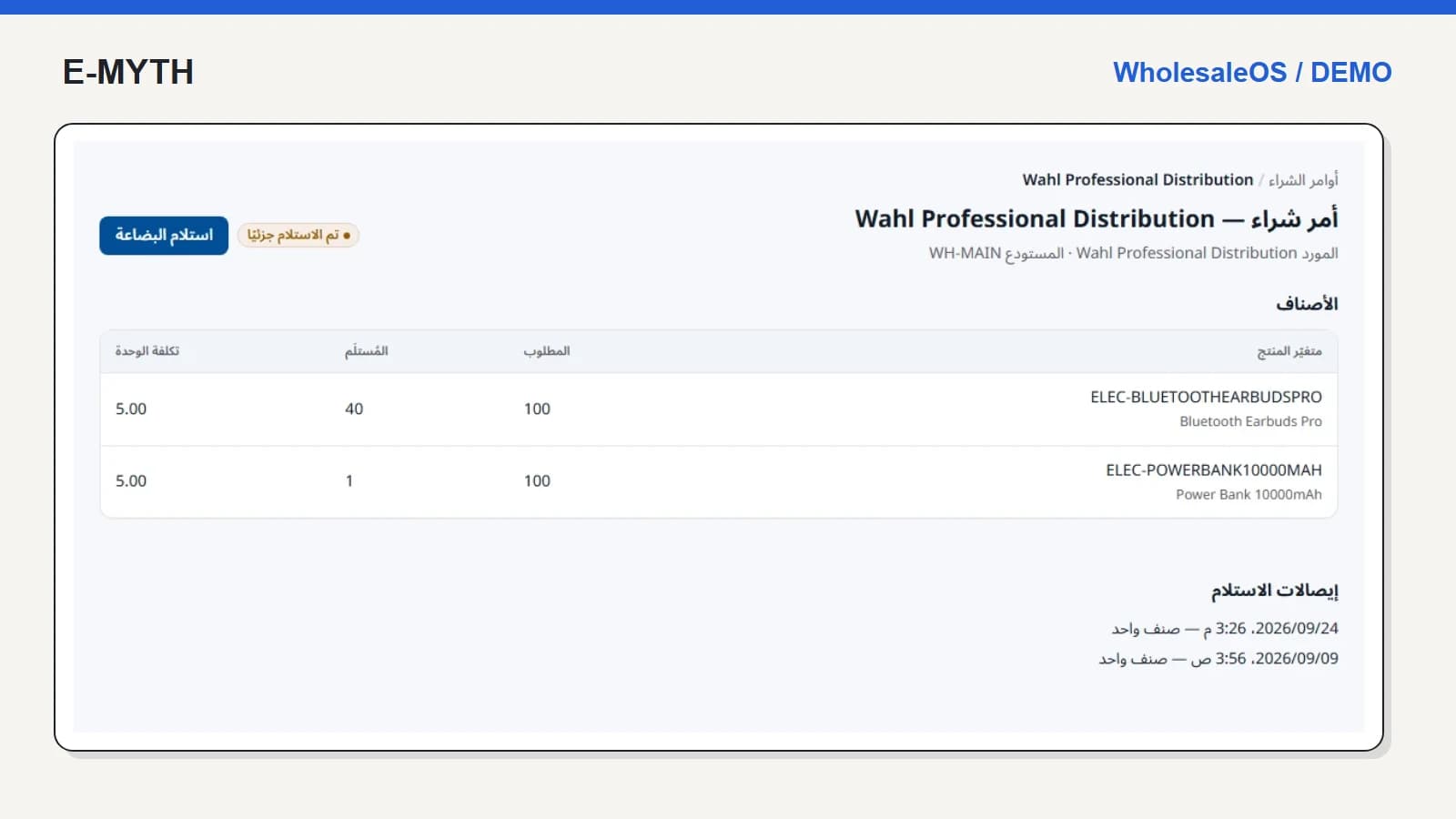
- Purchasing follows shortages through supplier orders and partial receipts.
- Finance follows customer balances and supplier obligations separately.
- Returns staff records condition and disposition before completing a credit.
The important test is whether each person can continue from the preceding record. In sales and stock reservations, we show why a reserved order is not yet a delivered order. Purchasing and receiving follows the corresponding inbound process.
Use transfers to test whether states mean anything
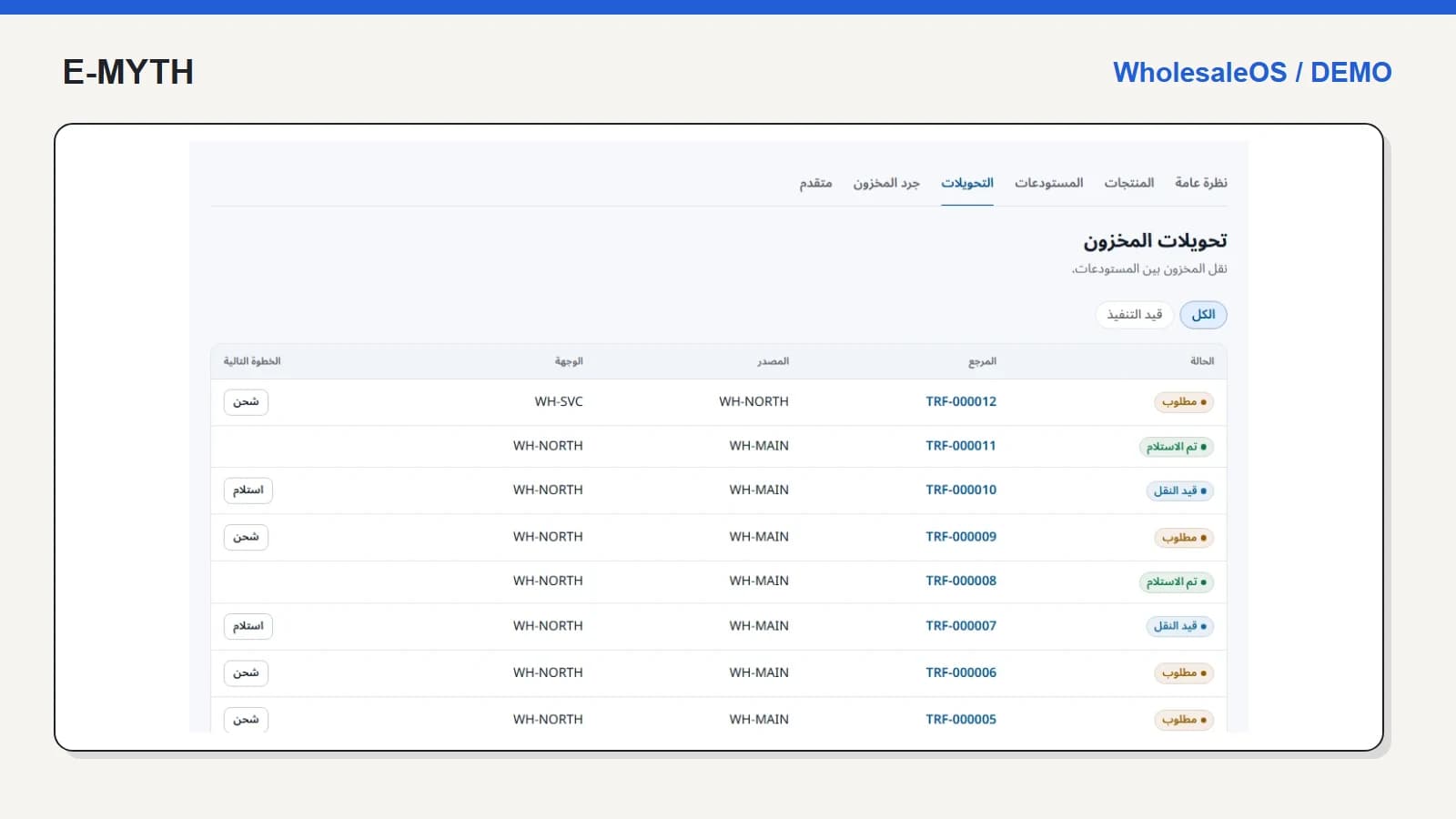
Moving goods to a branch requires a source, a destination and confirmation of arrival. A requested transfer is not the same event as dispatch, and goods in transit should not be described as received.
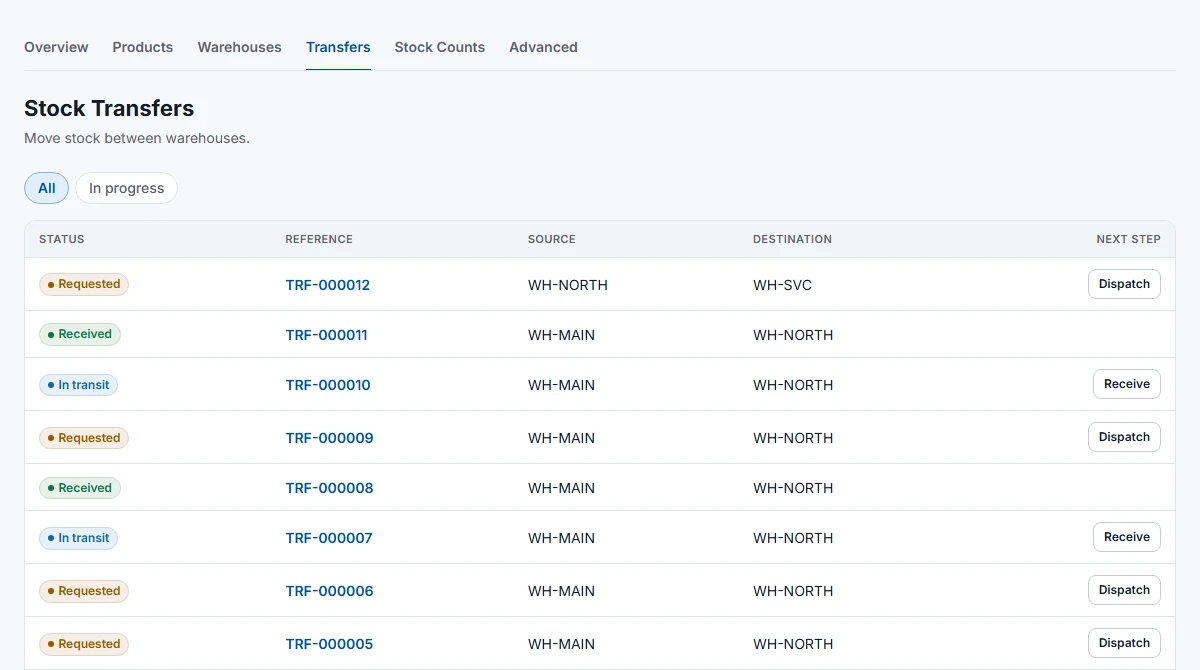 View the full-size screen ↗
Ask two colleagues to follow the same transfer from their respective warehouses. Record what they can see, what they can change and what happens if the delivered quantity differs. This is a better acceptance exercise than a tour of every menu.
Decide who should see costs and who should approve changes
An owner needs cost and financial information. A receiving employee needs products and outstanding quantities. WholesaleOS separates receiving permission from purchase-cost visibility; role checks must also hold when someone opens a direct link. Include team management, role configuration and reports in the scope, not just sales entry.
Reports should name their period and underlying event. Delivered sales, customer balances and inventory value are different measures. A zero for the current month in an old demo is not evidence that the software cannot record sales, nor is a large fixture balance evidence of commercial success.
What to include in a purchasing decision
- A sample catalogue, units, warehouse structure and opening balances with an agreed reconciliation process.
- A partial delivery, partial purchase receipt, stock count and damaged return.
- Customer statements and collections, including a correction with a reason.
- Returns and warranty handling, including their different financial consequences.
- Arabic and English tasks, mobile receiving, permissions, export needs and backup ownership.
External commerce connections, payment providers and accounting exports need their own specifications and live acceptance checks. Their presence in a menu is not proof of a working connection. The same applies to any local invoicing or tax requirement: define the required output and verify it for your deployment.
When is a simpler tool enough?
If one person sells a small catalogue from one location without credit, batch tracking or separate receiving staff, a lighter setup may be sufficient. Complexity becomes worthwhile when hand-offs repeatedly require re-entry or reconciliation. Bring one representative order and one troublesome exception to a business systems discussion; they are more useful than an unprioritised feature list.
Continue with the workflow you need
- Sales and inventory: pricing, reservations and delivery
- Warehouse stock control: counts, transfers and expiry
- Purchase orders and partial receiving: a warehouse walkthrough
- Credit sales and collections: reading a customer statement
- Returns, refunds and warranty: separate the decisions
How this walkthrough was prepared
We reviewed the WholesaleOS implementation and opened its local demo on November 4, 2026. Screens show actual interfaces with synthetic fixtures, cropped to the relevant area without changing their content. Interface states alone do not establish customer outcomes or successful external delivery.
More perspectives