
An inventory balance is useful only if the team can explain how it changed. Receiving, sales, transfers, counts and returns all affect the warehouse, but each needs its own record. Repeatedly editing a balance loses that explanation.
This walkthrough is for warehouse and operations managers. The actual WholesaleOS screens below contain synthetic historical records. We use them to show how to read a discrepancy and a transfer, not to certify the physical accuracy of demo stock.
Begin with the product's identity
Agree product variants and units before counting. A black watch and a silver watch may require separate variants; an individually tracked item needs its serial identity; consumables may need batch and expiry information. A count by product name alone can hide those differences.
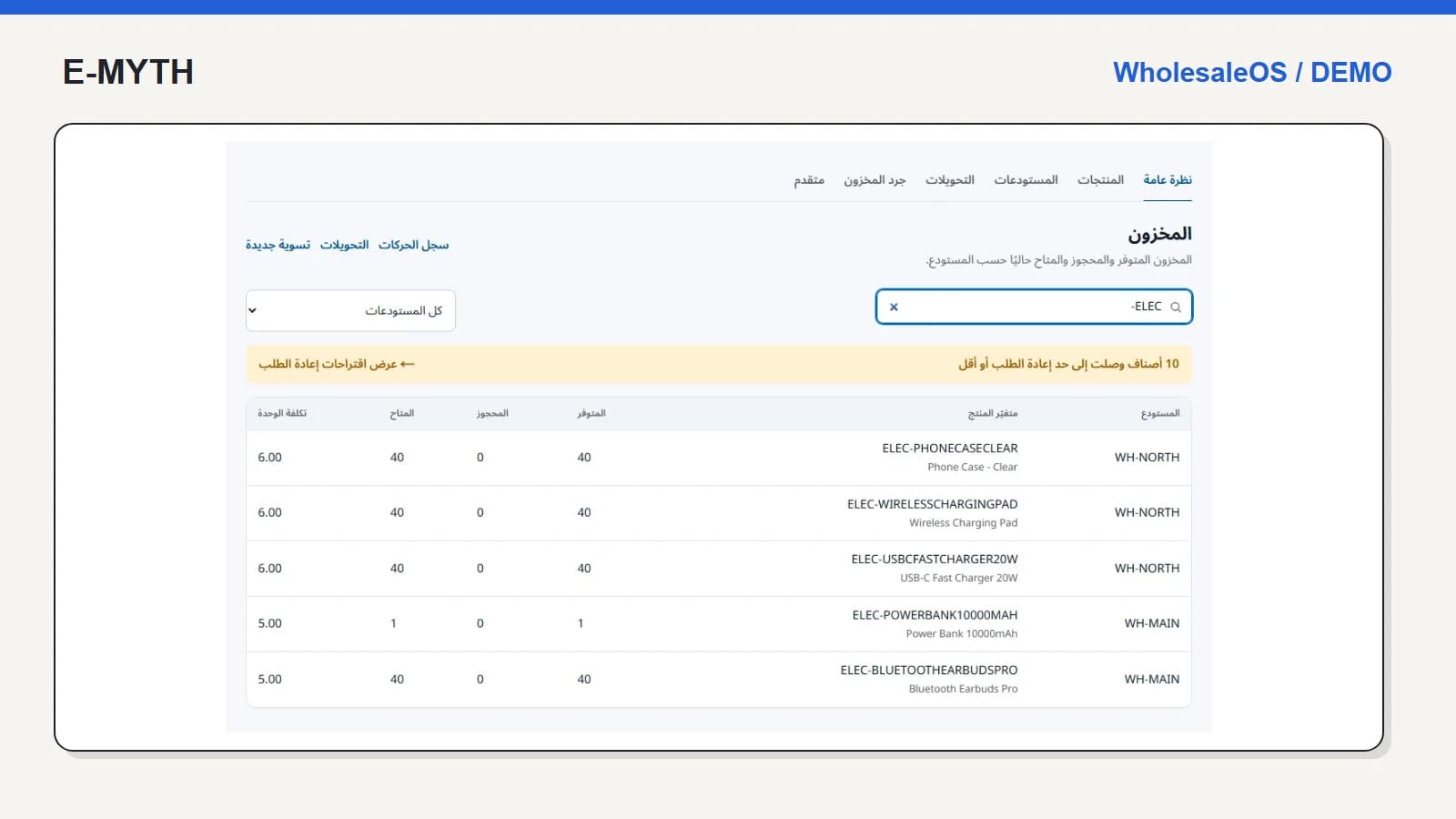
Choose the warehouse explicitly. “We have 40” is not an actionable answer when the stock is in a different branch and the customer needs collection here today. The wholesale system guide explains how these records connect to sales and purchasing.
Read a count as a comparison, not an unexplained replacement
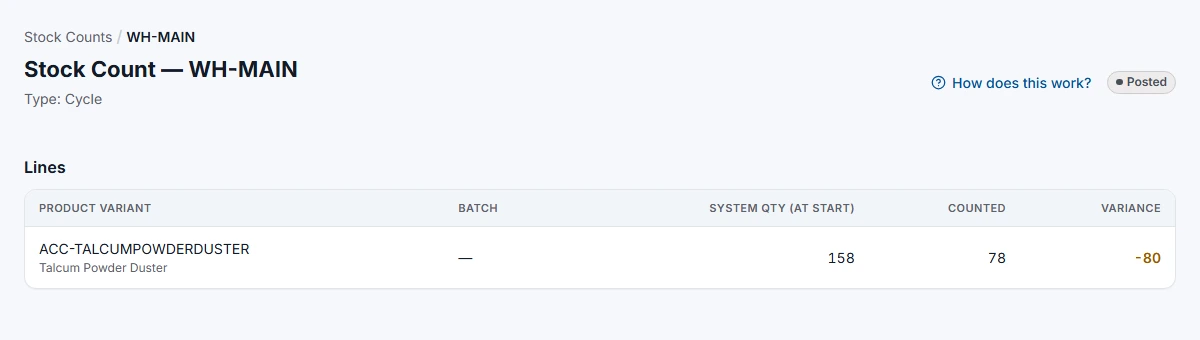
The captured cycle count shows system quantity at the start, counted quantity and variance. The historical demo line reads 158, 78 and −80. This means the entered count is eighty below the starting snapshot. It does not mean the current live stock must still be 78.
 View the full-size screen ↗
Before posting a real discrepancy, check the unit, warehouse, unrecorded receipts and sales made during the count. Assign responsibility for reviewing the adjustment. Keep the count and the subsequent inventory movement available so the reason for the change can be revisited.
Separate dispatch from arrival
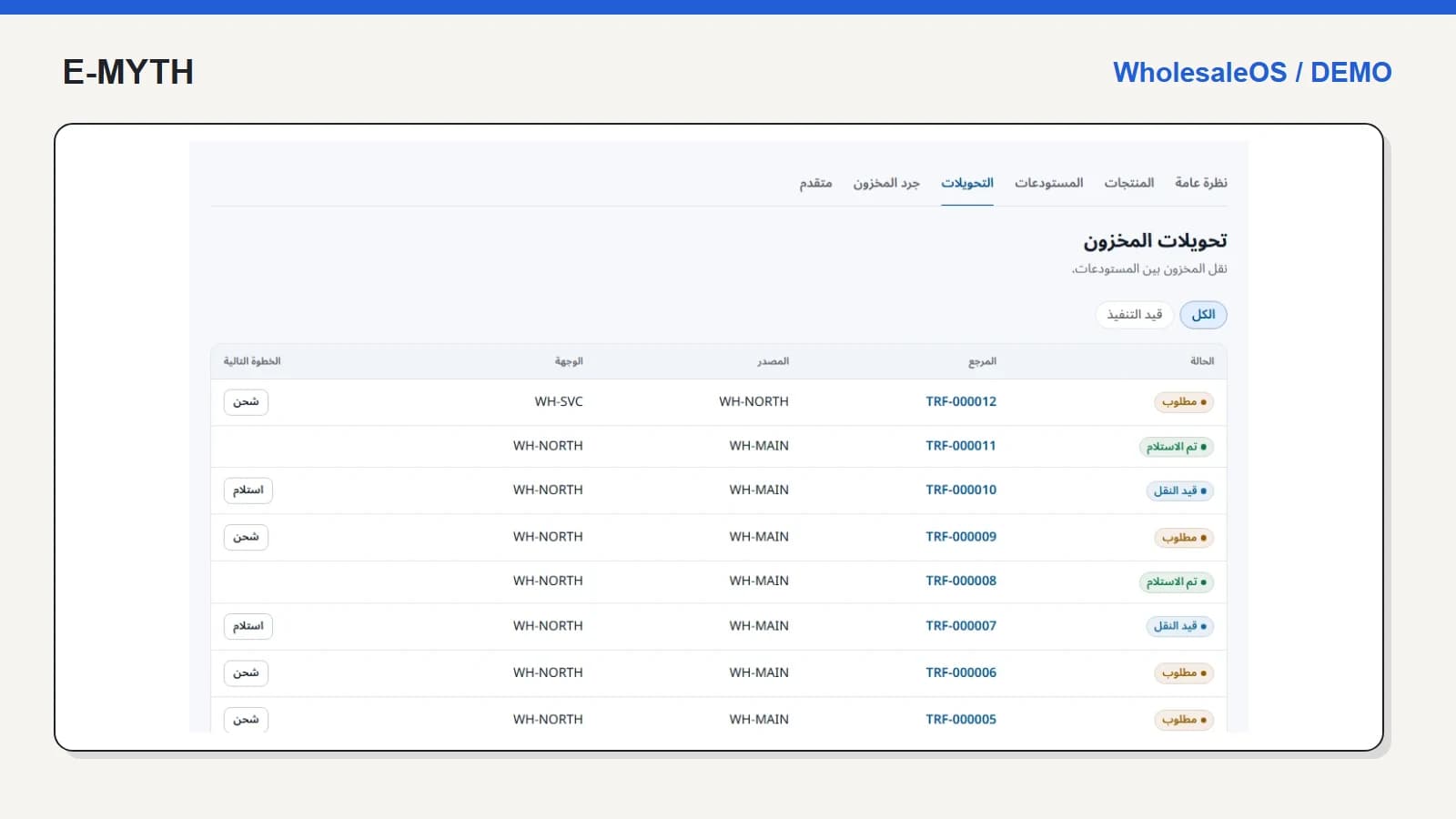
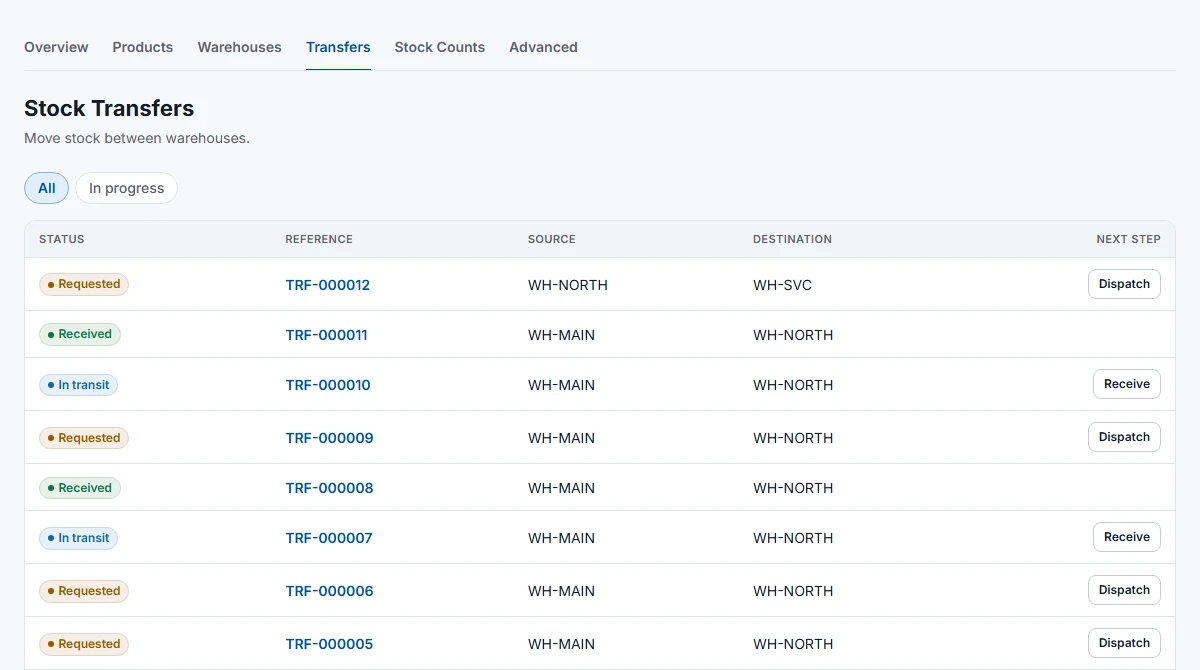
A transfer has two warehouse responsibilities. The source dispatches; the destination receives. If the same status is used for both, the business can promise stock that is still travelling.
 View the full-size screen ↗
During acceptance, request a small transfer, dispatch it from the source and inspect the destination before receiving it. Then receive it and inspect both locations. Include a short receipt and a repeated click in the test plan; agree what the user should see and who resolves exceptions.
Track expiry and replenishment for different reasons
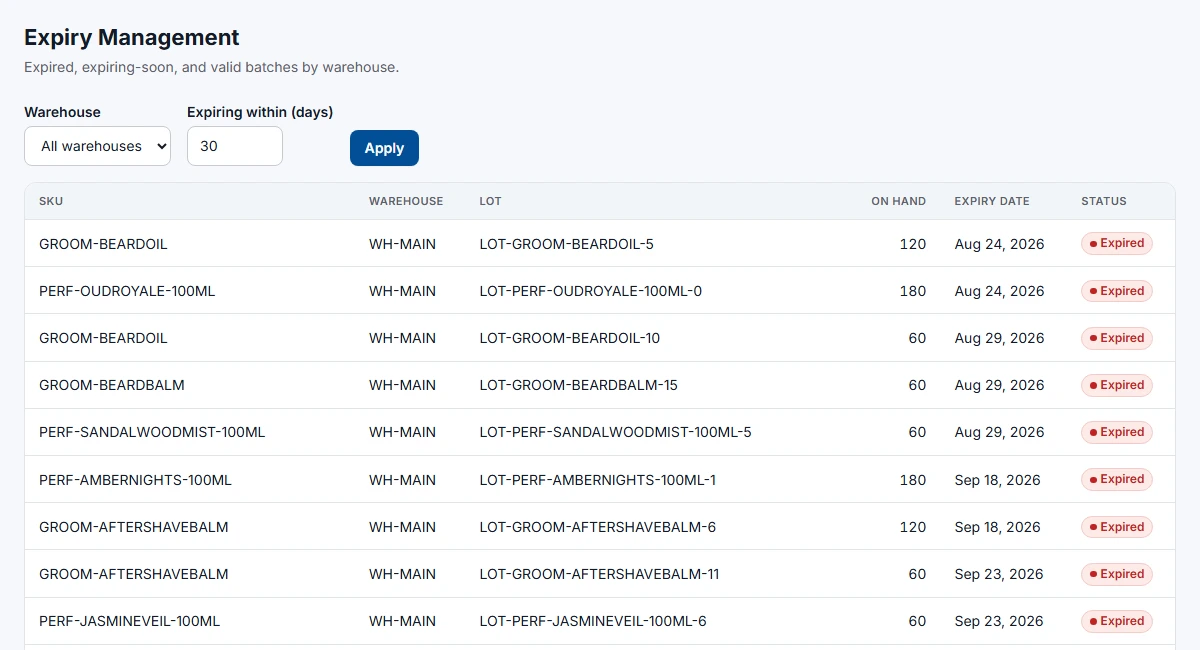
Expiry asks whether a batch is still suitable for use. A reorder point asks whether available stock has fallen to a configured threshold. They should not be collapsed into one “low stock” indicator.
 View the full-size screen ↗
WholesaleOS also exposes serial lookup and reorder suggestions. Its suggestions are threshold-based, not a demand forecast. Review incoming quantities and your target level before converting a suggestion into a purchase decision. A slow-moving product can be below its threshold without being a sensible replenishment purchase.
What should the warehouse team demonstrate?
- Find a variant by name or SKU and explain its location and unit.
- Distinguish available stock from stock reserved for an order.
- Open a posted count and explain its variance and history.
- Follow a transfer through source and destination responsibilities.
- Trace a batch or serial through a receipt and a return.
Receiving employees should not need access to purchase costs to perform these tasks. Pair the stock review with receiving permissions, then agree your migration count and cutover process. Software cannot repair an unreliable opening balance merely by importing it.
Continue with the workflow you need
- Choosing wholesale inventory software: a practical guide
- Sales and inventory: pricing, reservations and delivery
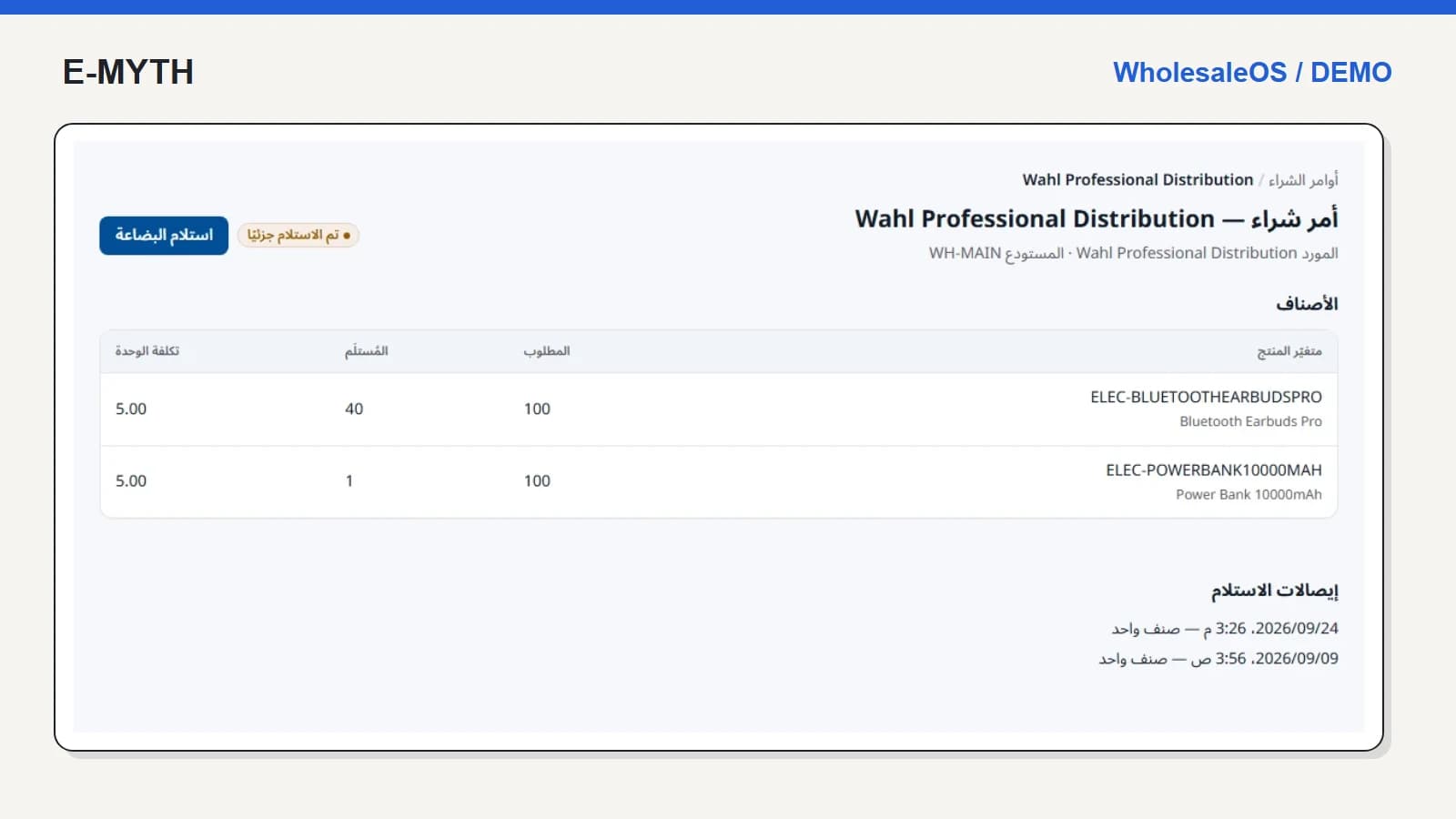
- Purchase orders and partial receiving: a warehouse walkthrough
- Credit sales and collections: reading a customer statement
- Returns, refunds and warranty: separate the decisions
How this walkthrough was prepared
We reviewed the WholesaleOS implementation and opened its local demo on November 4, 2026. Screens show actual interfaces with synthetic fixtures, cropped to the relevant area without changing their content. Interface states alone do not establish customer outcomes or successful external delivery.
More perspectives