
The most useful question in an application queue is not just “what is its status?” but “who must do what next?” A file can wait for the applicant, a researcher, a committee or administration. Hiding these differences behind one status makes follow-up harder.
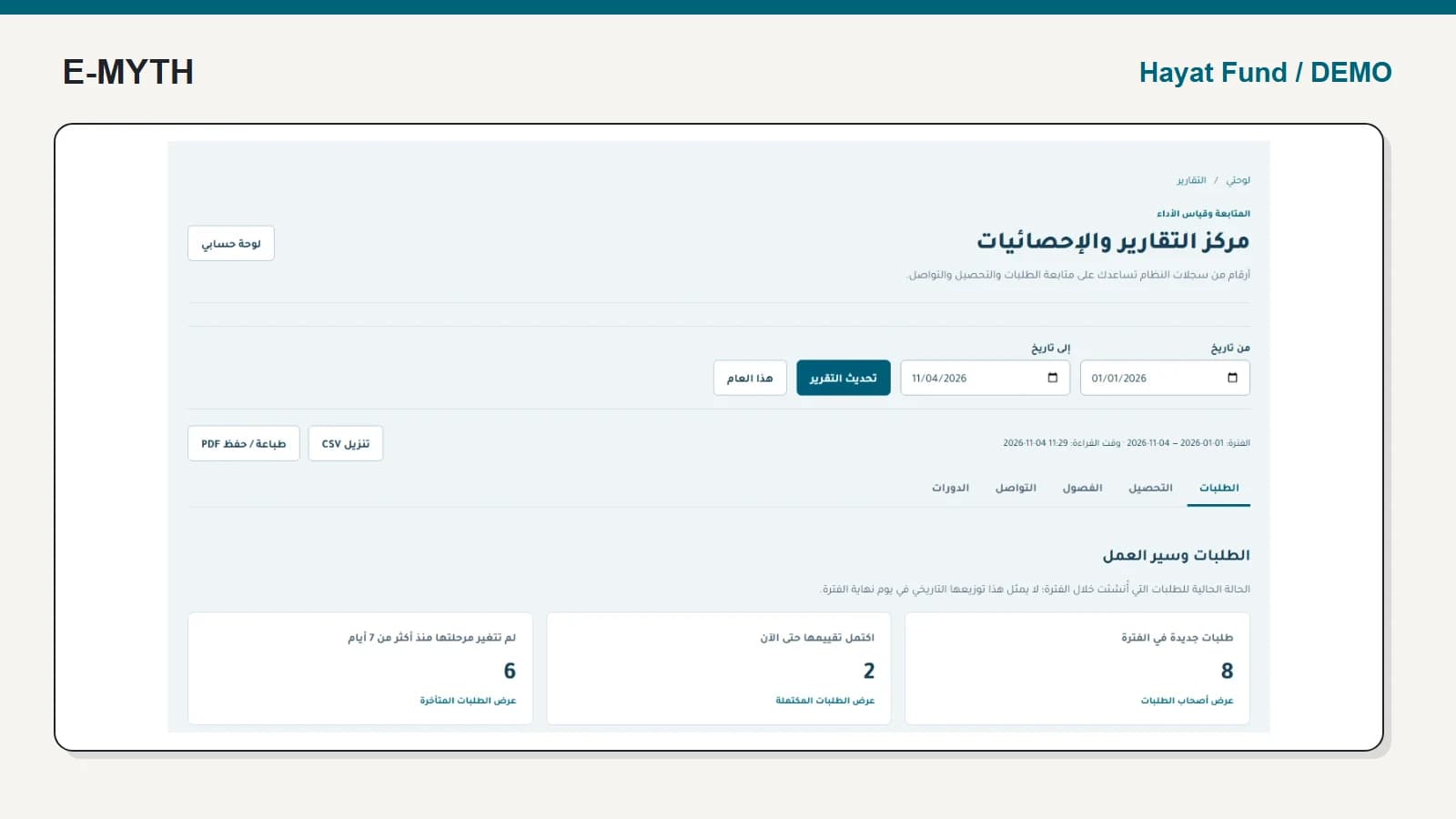
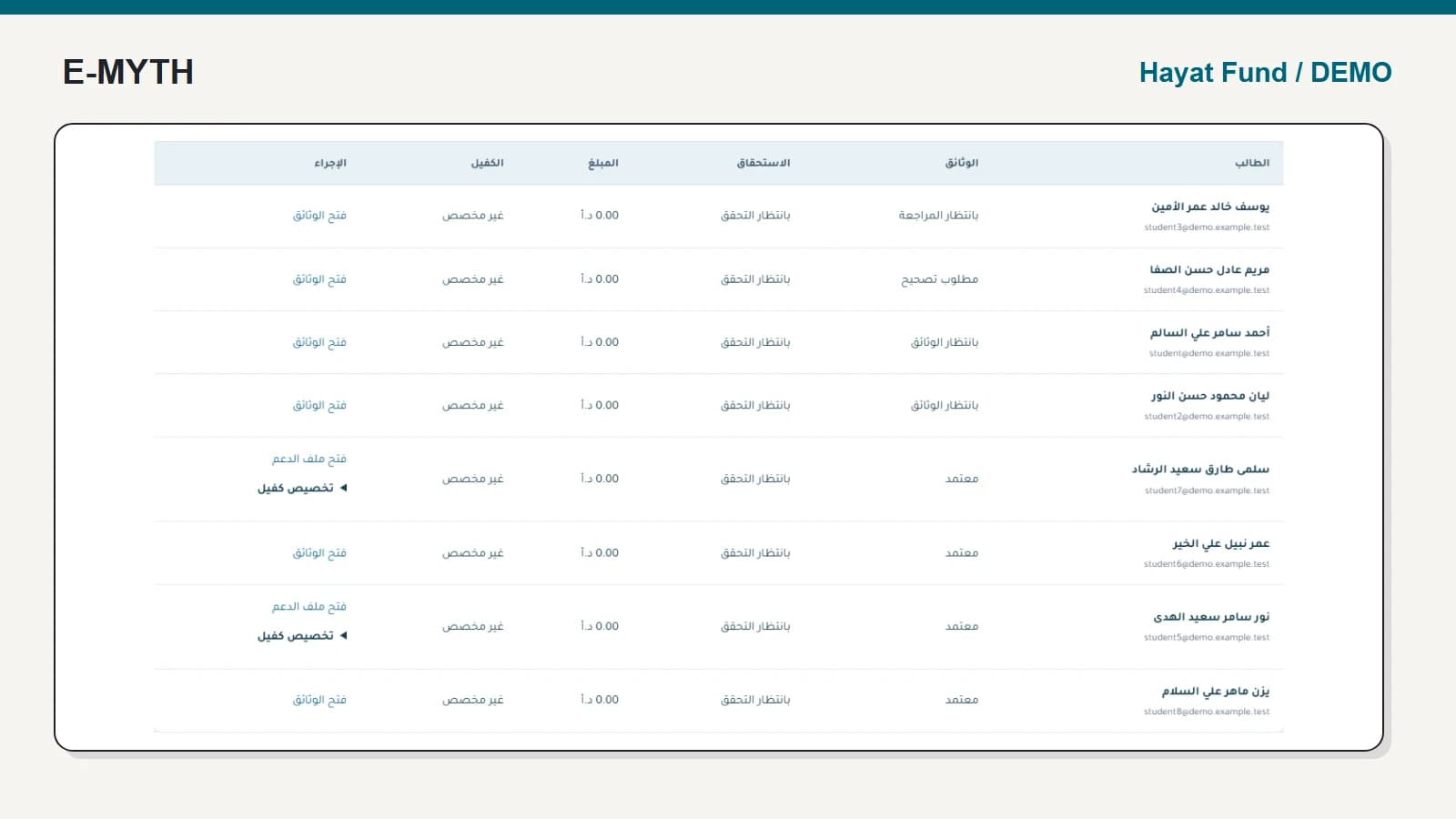
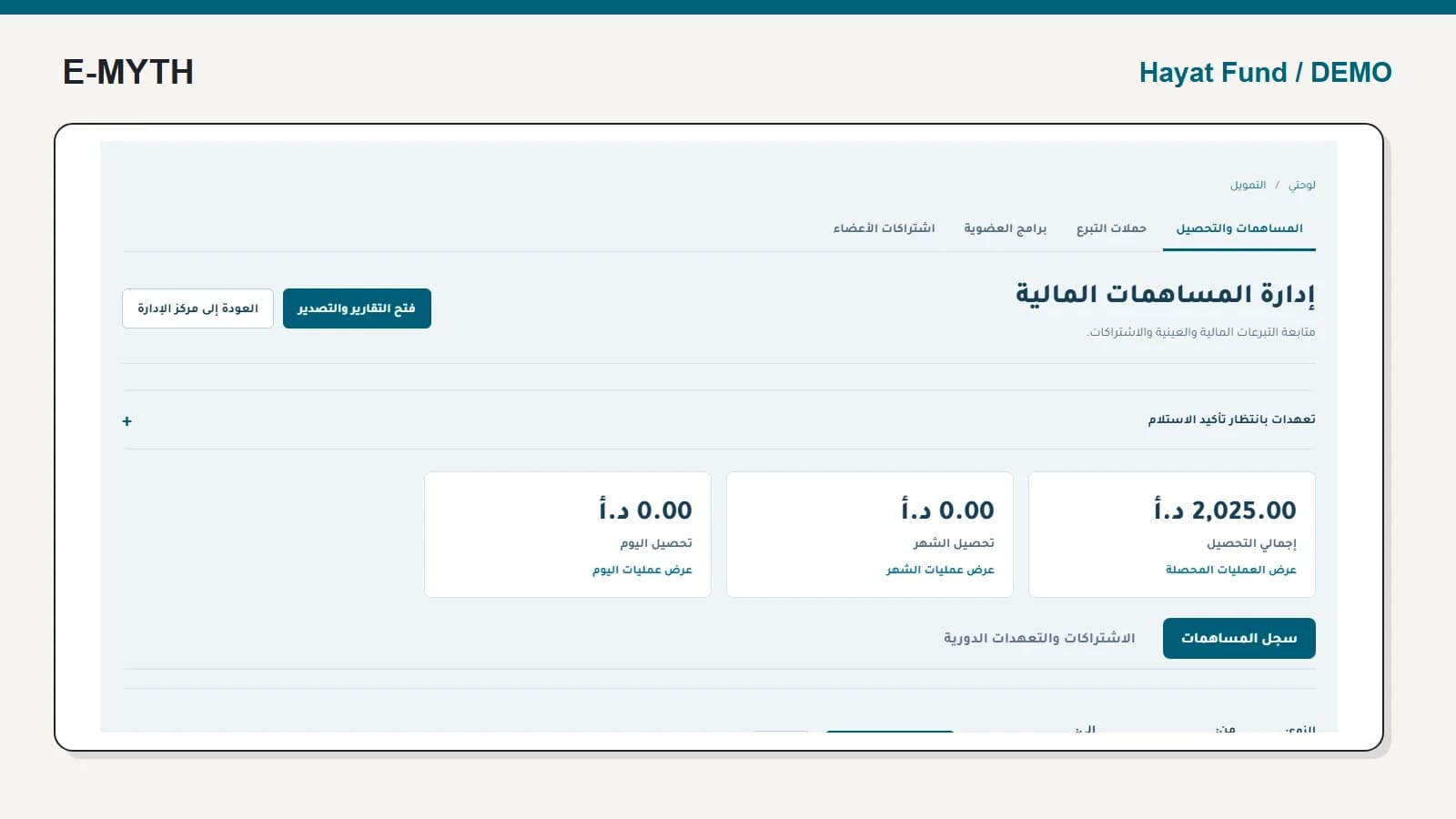
We follow synthetic application 6 from the Hayat Fund presentation queue into its detail. The screenshots show the actual Arabic interface. No real applicant documents or decisions are used.
Step 1: identify the owner of the next action
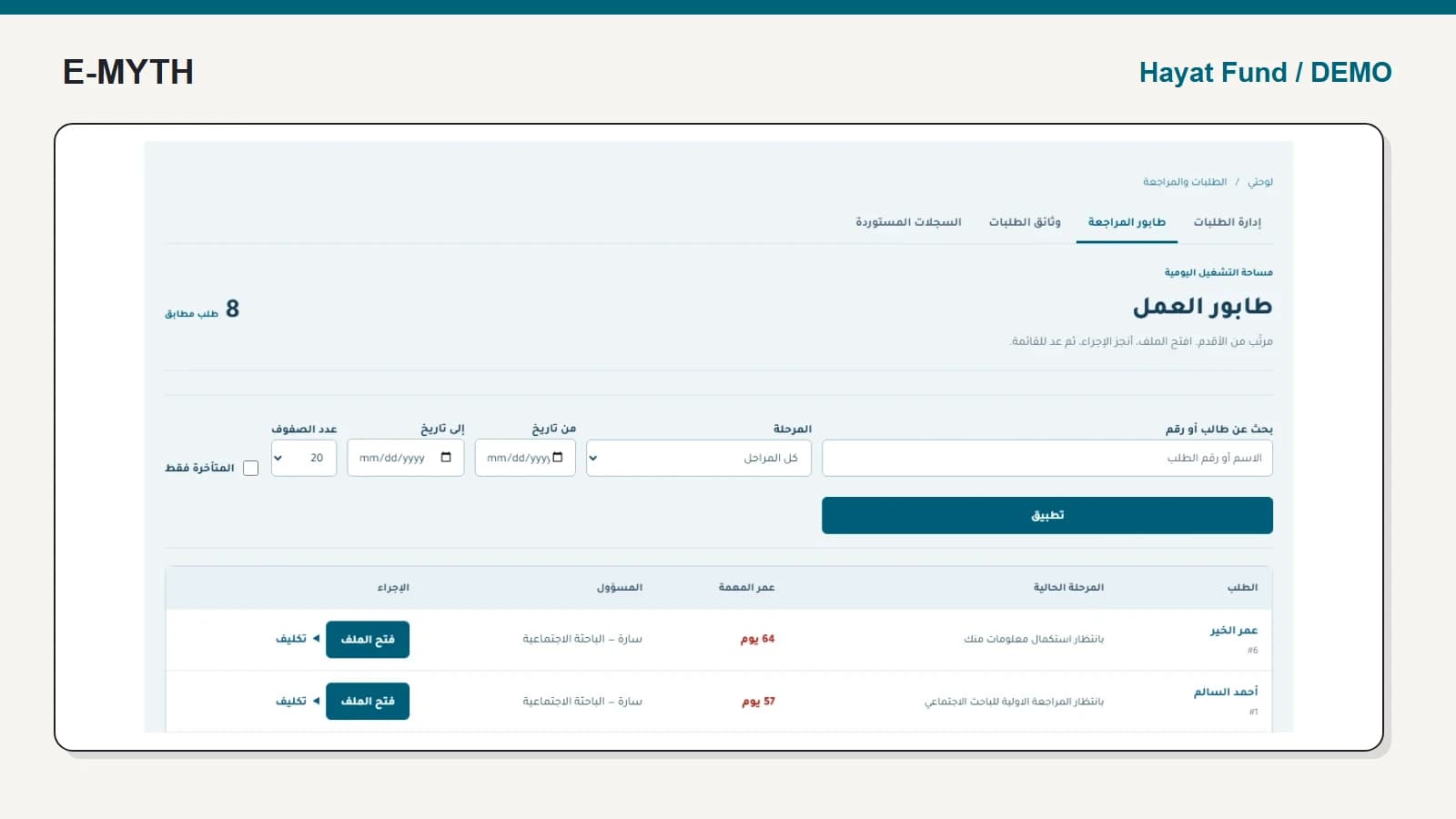
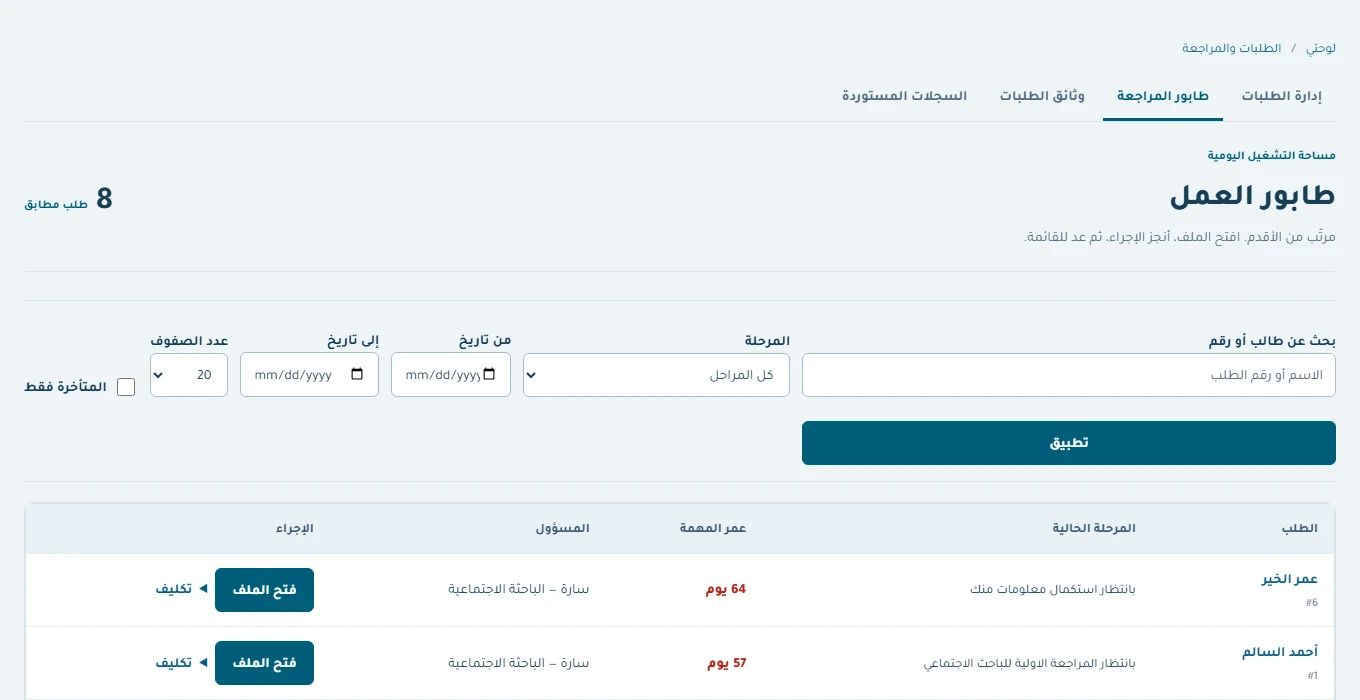
The work queue provides stage, task age, responsible staff member and access to the file. Application 6 is waiting for information completion; it is not waiting for a final acceptance decision. Its synthetic age helps demonstrate prioritisation, not a real service delay.
 View the full-size screen ↗
A queue should allow the team to filter by stage and date and inspect older cases. Agree what “late” means in your operation before treating every old item as staff underperformance. The next action may belong to the applicant.
Step 2: read the workflow and eligibility separately
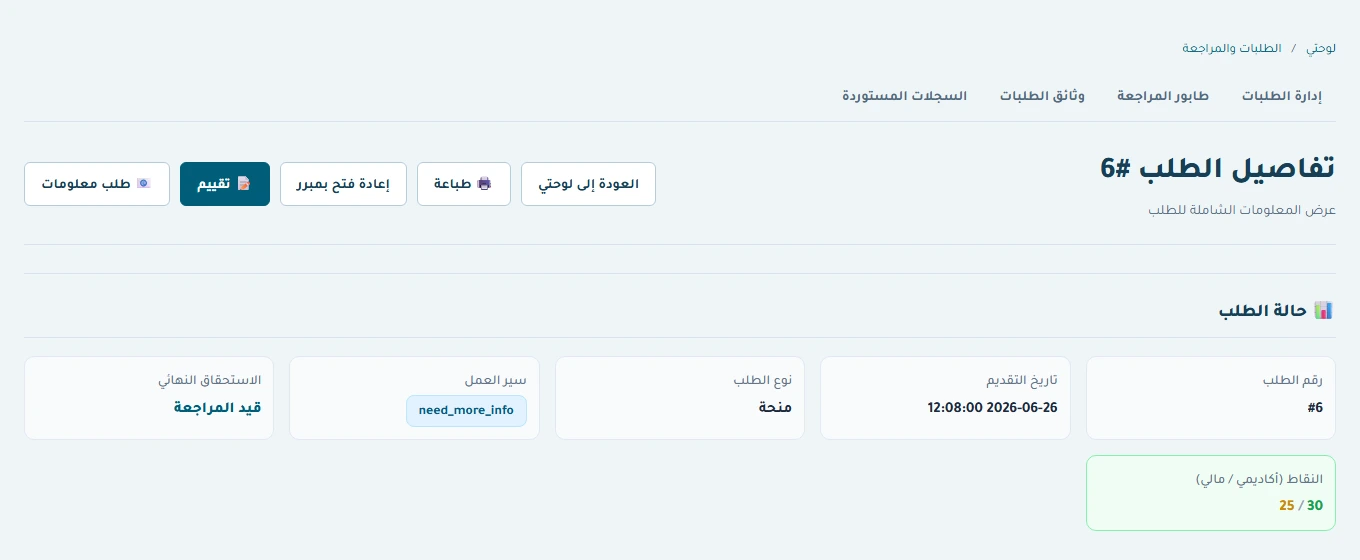
Opening application 6 reveals a workflow value of need_more_info while final eligibility remains under review. In plain language, more information is needed and no final eligibility conclusion is shown. These are separate dimensions of the file.
 View the full-size screen ↗
When asking for a document, name what is missing and explain the next action. “Contact the office” is less useful than a specific request the applicant can complete without seeing internal assessment notes.
Preserve where the completion request came from
The implementation saves the current workflow stage when staff requests more information. Resubmission uses that saved stage to return to the requesting part of the process. This avoids assuming that every corrected document must restart all reviews.
The screenshot shows the waiting state, not a completed resubmission. To accept the behaviour, request information from a known stage in a test environment, respond as the applicant and inspect the returned stage and history. Include a committee-stage and an administration-stage example if both will be used.
Separate researcher, committee and administration responsibilities
Initial review, interview or committee evaluation, social research and the final administrative decision have different owners. Define required evidence, allowed actions and the next destination for each stage. Account registration and activation should also be tested before asking a student to submit a complete application.
For reopening, require a specific reason and a retained history. The project has a separate reopening operation; casually changing a final status is not an adequate substitute. A reopened case should explain why work resumed and who made that decision.
Continue after acceptance without losing the original file
An accepted grant or loan leads into a beneficiary profile and semester support workflow. Acceptance does not automatically establish that later semester documents are complete or that a payment was made.
Use communications and delegation to follow missing information while keeping reading, replying and provider delivery distinct. A reminder is support for the review process, not evidence that the applicant completed it.
What should the demonstration prove?
Test a saved draft, an incomplete submission, a completion request, a resubmission to the correct stage and a reopened completed application. Repeat an inappropriate action with the wrong role. Check that the applicant sees a clear explanation while internal notes remain restricted. These cases define the value of the workflow more precisely than a claim that the institution is now “fully digital.”
Continue with the workflow you need
- Scholarship management software: beyond the application form
- Semester support: documents, eligibility, approval and payment
- Donation management: pledges, collections and memberships
- Beneficiary communications: responses, reminders and delegation
- Institutional training and reports: from registration to evidence
How this walkthrough was prepared
We reviewed the Hayat Fund implementation and opened its local demo on November 4, 2026. Screens show actual interfaces with synthetic fixtures, cropped to the relevant area without changing their content. Interface states alone do not establish customer outcomes or successful external delivery.
More perspectives