
A scholarship application form collects information. An institutional system must also help staff review it, request missing documents, make decisions and follow support across later semesters. If every submission is copied into separate spreadsheets, the institution still lacks a connected operating process.
This guide uses the Hayat Fund presentation version developed by E-MYTH. All students, donors, documents and amounts are fictional. The screenshots retain the actual Arabic interface; English explanations describe what to look for without presenting a translated interface that does not exist.
Separate the applicant journey from the institution's decisions
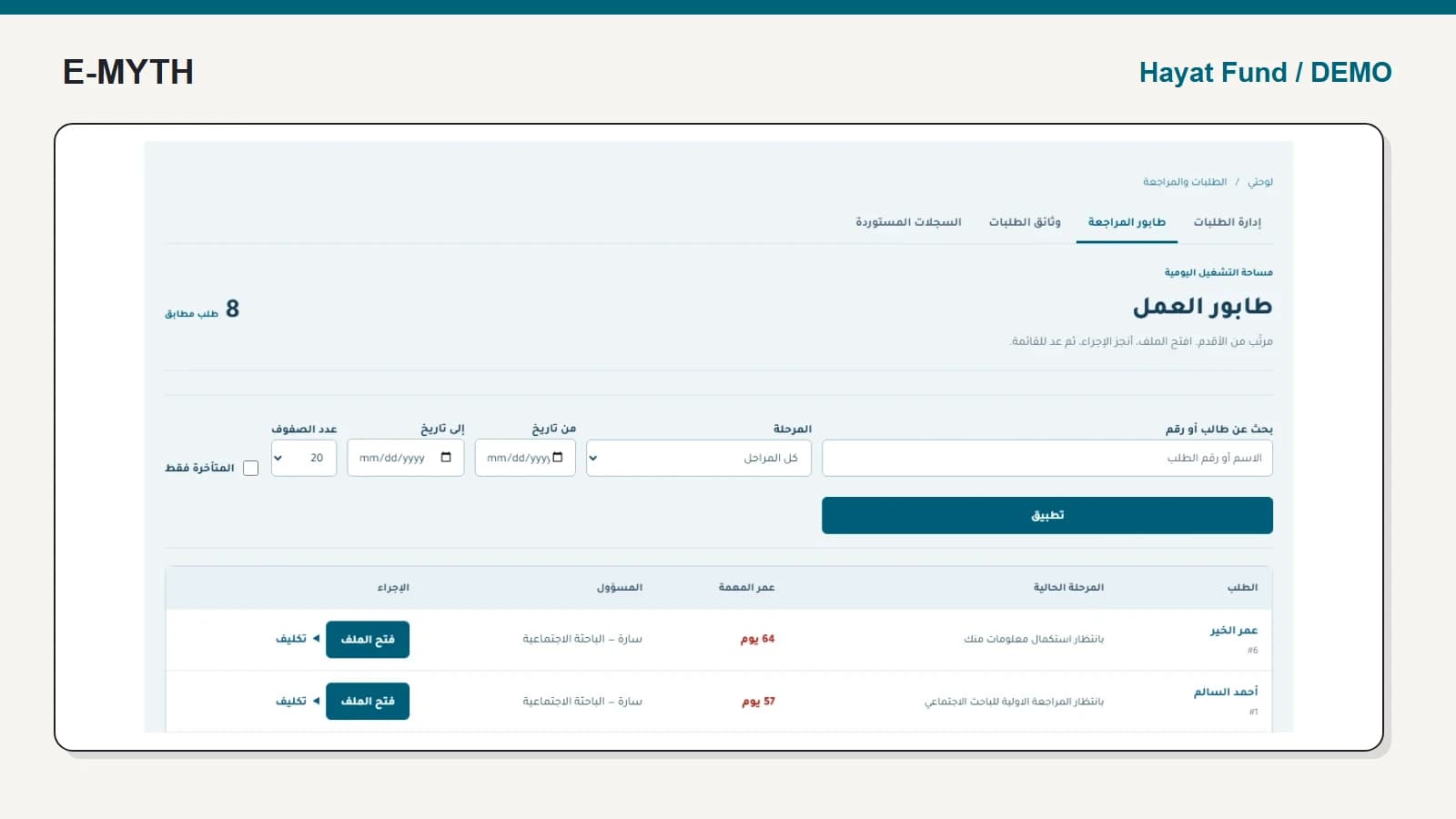
A student needs registration, account activation, a saved draft and a clear submission or completion state. Researchers, committee members and administrators need the information and actions appropriate to their stages. A general “under review” label cannot tell staff whether a file awaits the student or a committee decision.
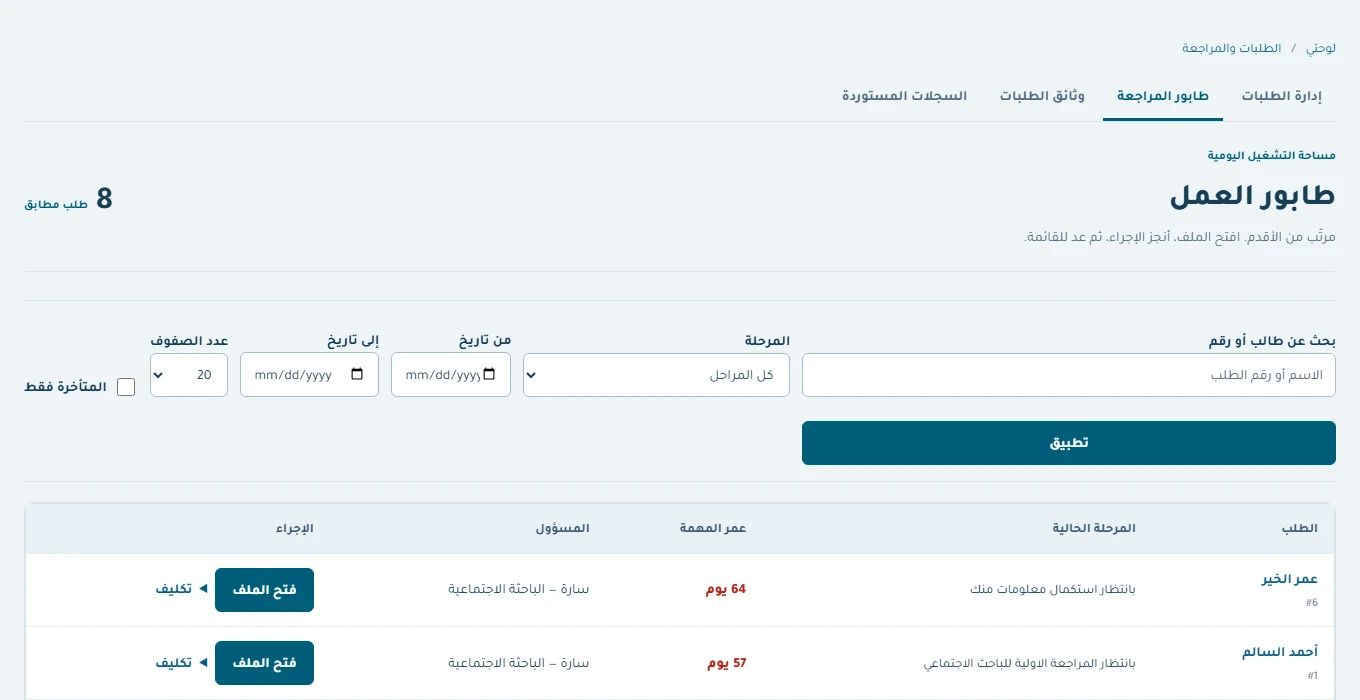 View the full-size screen ↗
The application review walkthrough explains completion requests, return to the requesting stage and reopening. Use your institution's rules to define who may make each decision; another institution's eligibility criteria should not be copied automatically.
Keep a beneficiary record after acceptance
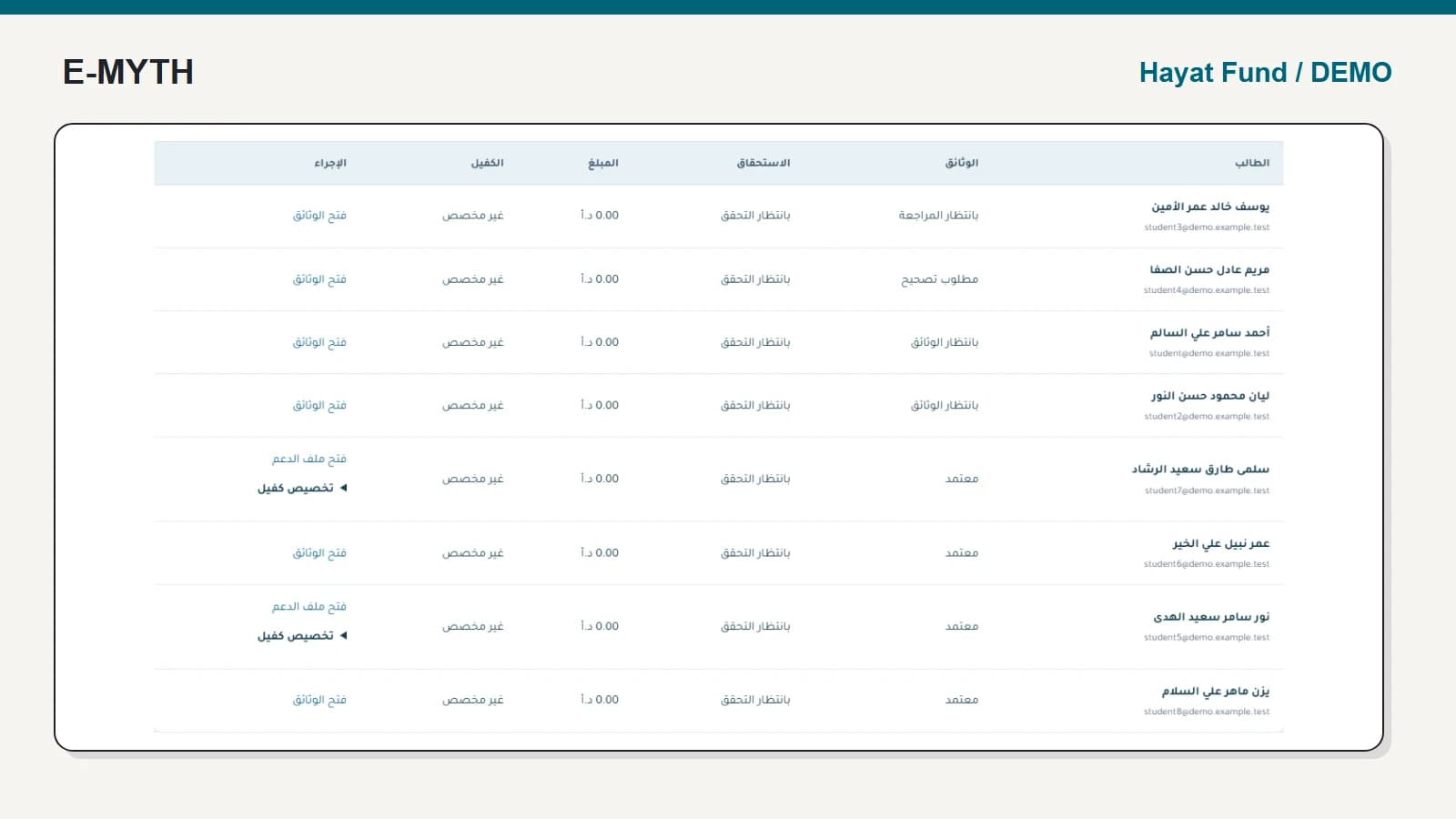
An accepted application is the start of ongoing support, not its complete history. The beneficiary profile links the acceptance, sponsorship plan, semesters and recorded payments. A later semester should not require a duplicate student account or overwrite the original decision.
 View the full-size screen ↗
In semester documents and support, we follow the next checks: updated documents, continuing eligibility, calculated support, approval and recorded payment. Each answers a different operational question.
Connect funding without confusing promises and receipts
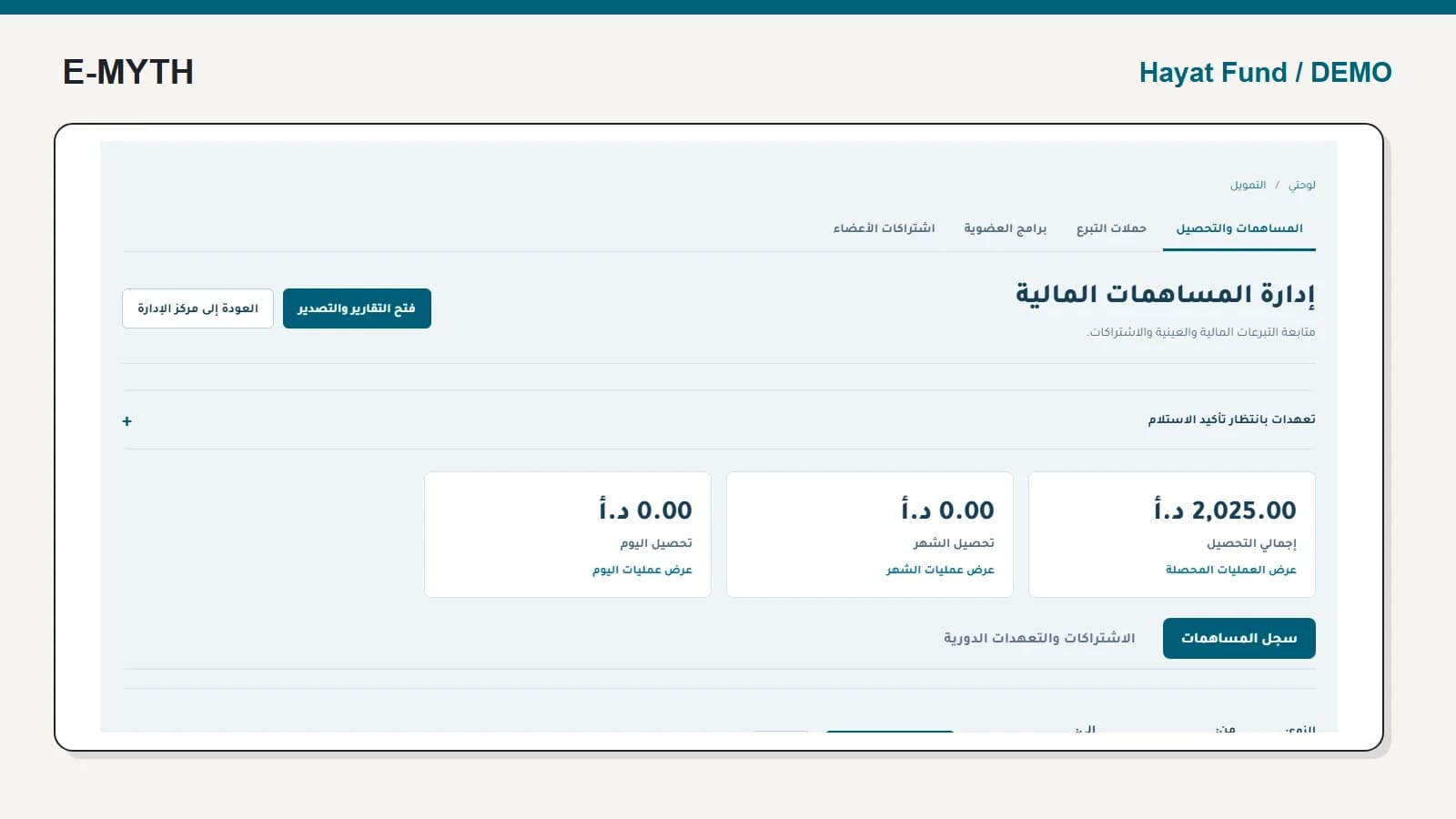
Donations and memberships need their own records. A donor pledge is not received income; assigning a sponsor to a student does not prove collection from that sponsor. Agree how your team records receipts, cash movement and reconciliation with the responsible finance specialists.
The current workflow is not a bank execution system or an automatic matching engine for every donation and student payment. Loan application types also do not establish a complete graduate repayment and collections module.
Follow responses, not only messages sent
The communications and delegation guide distinguishes message publication, provider acceptance, portal opening and beneficiary response. A reminder should respond to the person's current state rather than continue after a reply simply because it was scheduled earlier.
Give delegated employees only the messaging and semester work they own. Board reporting, operational administration, student access and donor access serve different purposes; one all-powerful account is not a suitable acceptance test.
Use reports that lead back to records
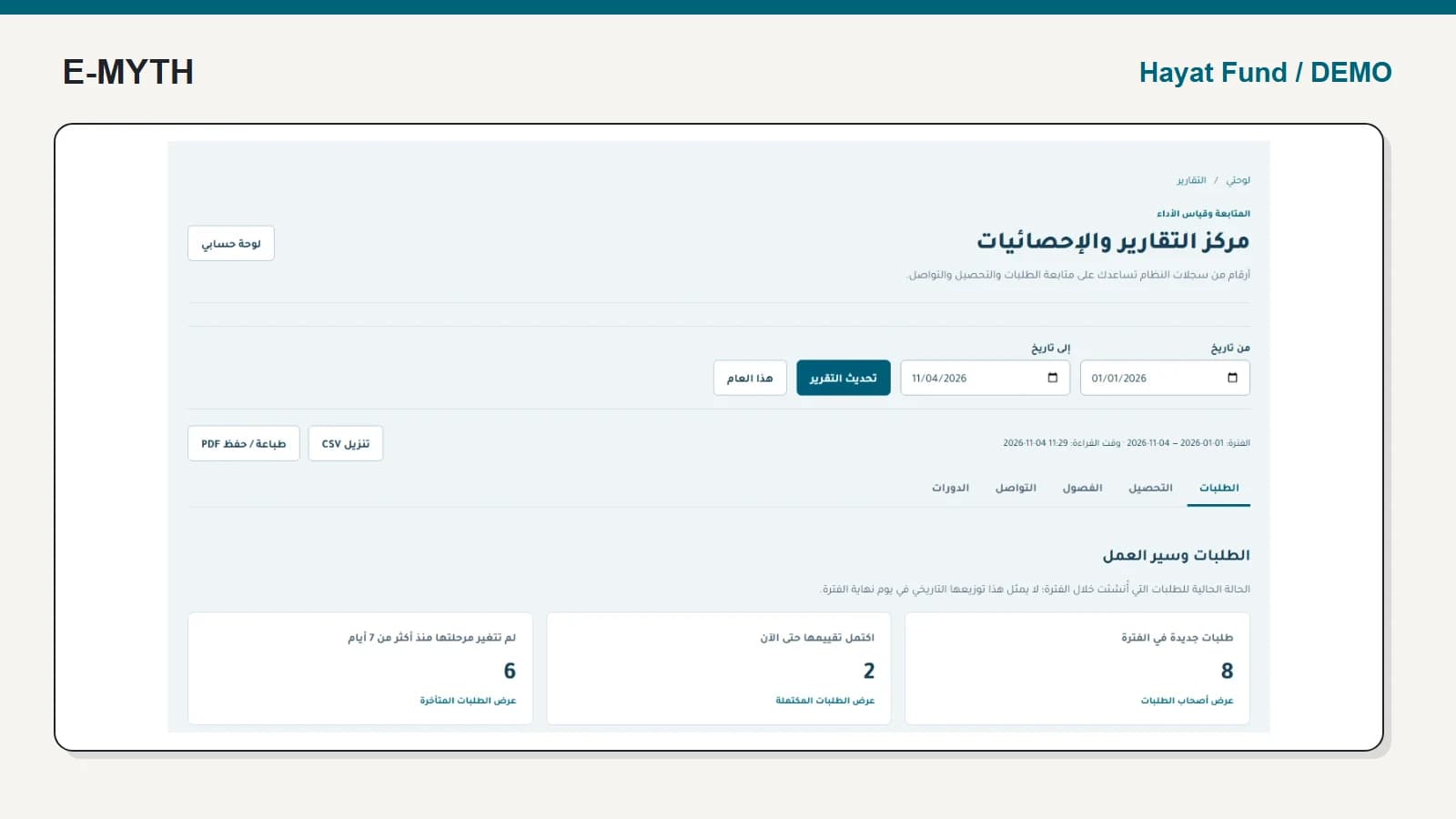
Start with the selected dates and the explanation above the application cards. Then use the link beneath a count to inspect its cases. A manager needs to know both which applications were selected and what state is being measured.
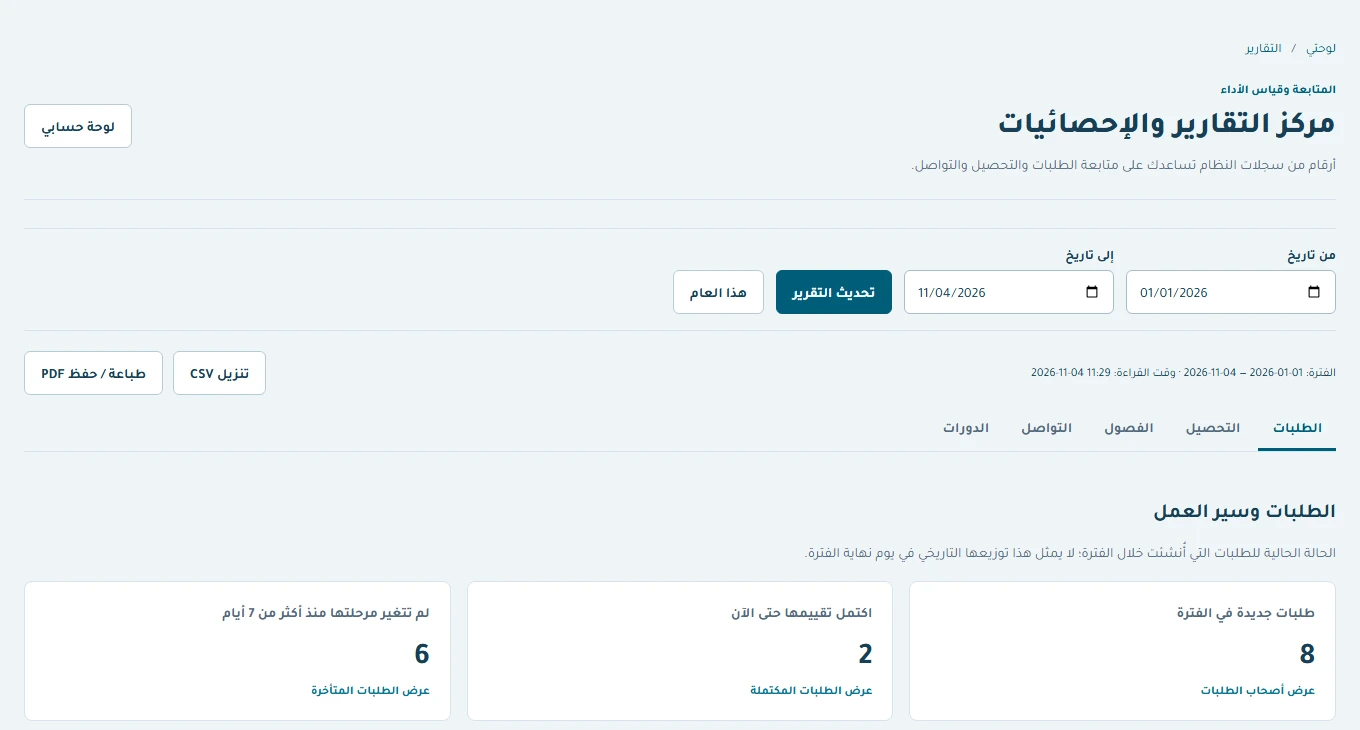 View the full-size screen ↗
Reports cover applications, collections, semesters, communications and courses. The learning and reporting guide explains why registration is not completion and why administrative counts do not prove educational impact.
Prepare a useful implementation brief
Bring one incomplete application, one accepted beneficiary, one semester requiring correction, one donor pledge and one staff hand-off. Define the roles, evidence, retention rules, export requirements and exceptions around them. Keep legacy records traceable to their source without inventing missing decisions or documents.
Start implementation around an agreed journey and acceptance pack. More modules are useful only when their connections and responsibilities are clear. A business systems review can turn those journeys into a scoped implementation without requesting real beneficiary files for an initial discussion.
Continue with the workflow you need
- Support applications: reviews, missing information and decisions
- Semester support: documents, eligibility, approval and payment
- Donation management: pledges, collections and memberships
- Beneficiary communications: responses, reminders and delegation
- Institutional training and reports: from registration to evidence
How this walkthrough was prepared
We reviewed the Hayat Fund implementation and opened its local demo on November 4, 2026. Screens show actual interfaces with synthetic fixtures, cropped to the relevant area without changing their content. Interface states alone do not establish customer outcomes or successful external delivery.
More perspectives